

High Availability Deployment
Run several instances of one service, balance requests automatically, and stay up even when a single instance goes down
 Pan
Pan
We're excited to announce that Zeabur now supports High Availability. Just turn up the number of instances and your service runs several copies at once—incoming requests are balanced automatically, so a single instance going down won't take your service offline.
What is High Availability?
In short, high availability means running several instances of the same service at the same time. When a request comes in, Zeabur automatically routes it to one of those instances.
When Instance 3 goes down, Zeabur reroutes traffic to Instances 1 and 2—no downtime.
This gives you two clear benefits:
- No more single points of failure: when one instance goes down, the others take over right away, and users barely notice.
- More even load: requests are spread evenly across instances, so no single one gets overwhelmed while others sit idle.
How to use it
1. Set the number of replicas
In your service settings, set Replicas to 2 or more. Zeabur spins up that many instances and starts balancing traffic automatically.
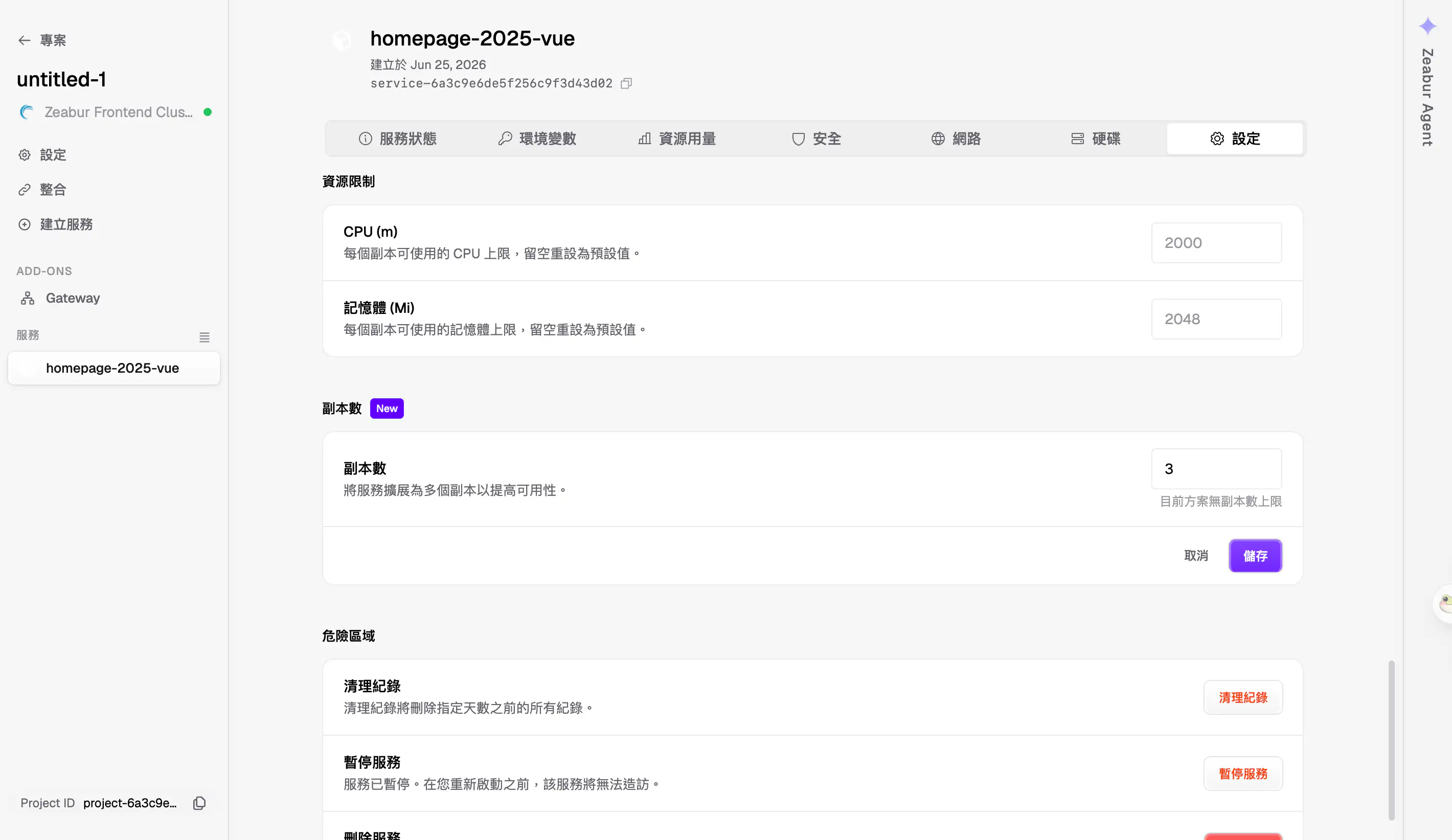
2. Check the status of each Pod
In the Zeabur Dashboard, you can see the live status of every Pod (instance) and confirm they're all running healthy.
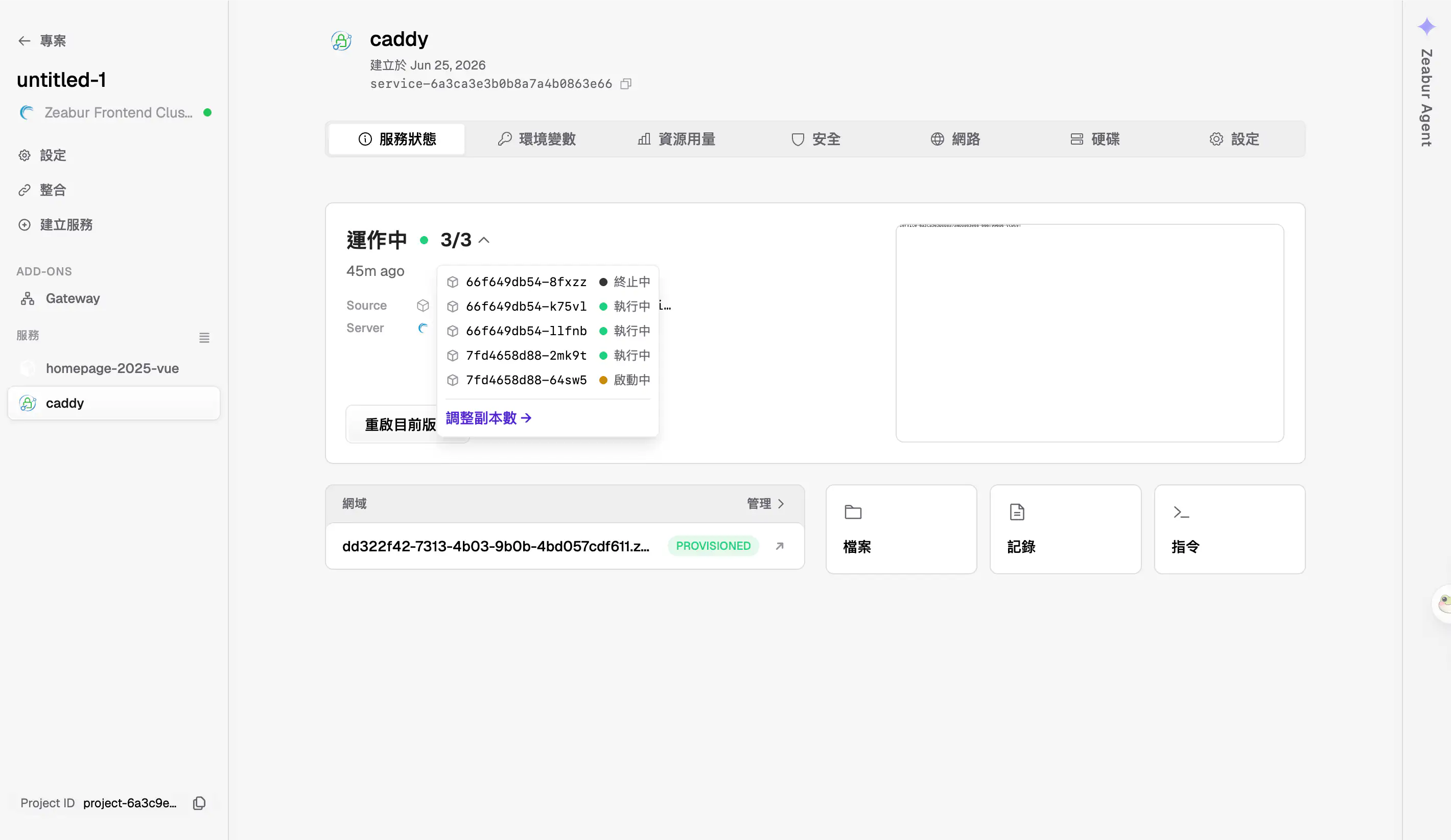
3. Verify that requests are spread across instances
Hit your API a few times in a row and you'll see the responses come from different instances—proof that load balancing is working.
$ curl https://your-service.zeabur.app/
I'm service-6a3ca3e3b0b8a7a4b0863e66-7fd4658d88-2mk9t!

$ curl https://your-service.zeabur.app/
I'm service-6a3ca3e3b0b8a7a4b0863e66-7fd4658d88-jwhnx!

$ curl https://your-service.zeabur.app/
I'm service-6a3ca3e3b0b8a7a4b0863e66-7fd4658d88-2mk9t!

$ curl https://your-service.zeabur.app/
I'm service-6a3ca3e3b0b8a7a4b0863e66-7fd4658d88-64sw5!
Each response comes from a different Pod name, which shows requests really are spread across instances.
What's next
Right now, Terminal and Files can't yet target a specific Pod. We're working on it so you'll soon be able to connect to a chosen instance for debugging and inspection.
If you're looking forward to this, head to the Zeabur Support Roadmap and give it a +1! Your feedback directly shapes what we build next.
Got questions? Reach out via Zeabur Support anytime.