

How to Use Insforge on Zeabur
The easiest way to give your AI Agent a production-ready backend.
 Kyle Chung
This article is also available in 繁體中文, 简体中文, 日本語, Español, and Bahasa Indonesia.
We recently announce that a strategic partnership with InsForge, the leading Backend-as-a-Service (BaaS) designed specifically for AI coding agents.
You can generate a beautiful React frontend in seconds, but asking an AI to "set up a secure database, configure authentication, and deploy an API" often leads to a mess of Dockerfiles and broken config files. It breaks your flow.
This is where Insforge on Zeabur changes the game.
Insforge is an AI-native backend designed to be managed by agents (via MCP), and Zeabur is the AI-native deployment platform that handles the infrastructure. Together, they allow you to go from "Idea" to "Full-Stack Deployment" without leaving your editor.
In this guide, we’ll show you how to deploy Insforge on Zeabur in one click and connect it to your AI code editor.
Prerequisites
- A Zeabur Account (You can start for free).
- An AI Code Editor that supports MCP (like Cursor or Antigravity).
Step 1: Deploy from the Zeabur Integration
The biggest pain point in backend development is initial setup. Zeabur eliminates this with its pre-configured Integration.
- Log in to your Zeabur Dashboard.
- Create a New Project (or select an existing one).
- Click Add Integration → Insforge.
- Click Enable Insforge.
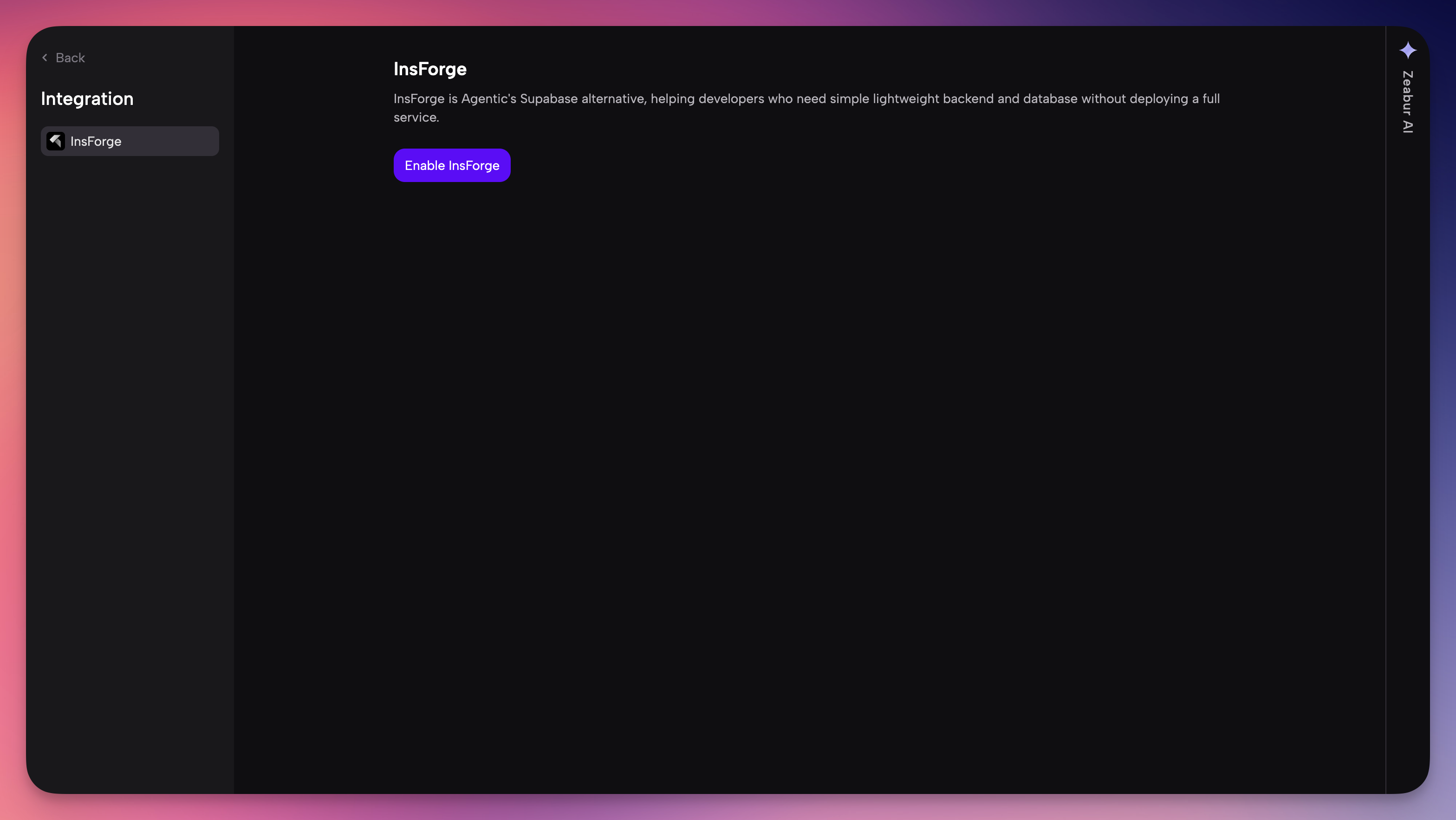
Here is the "Better Developer Experience" part: When you click install, Zeabur doesn’t just deploy the Insforge container. It automatically creates a fresh PostgreSQL service and links it to Insforge internally. You don't need to manually copy connection strings or configure network ports. Zeabur handles the orchestration for you.
Wait about few seconds for the services to turn green (Running).
Step 2: Connect Your AI Agent (MCP Setup)
Once your Insforge service is deployed, you need the connection details to link it to your AI editor (MCP) or your frontend application. Zeabur creates a dedicated information page for this, so you don't have to dig through logs.
There are two easy ways to access this information:
Method 1: The Direct Service Link (Recommended)
In your Zeabur Project view, look for the Insforge icon located just below the "Add Service" button.
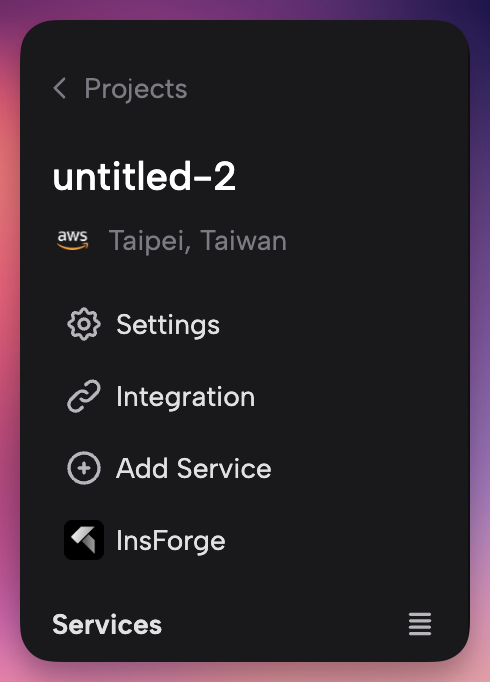
Insforge Link
Clicking this icon will redirect you to a dedicated Insforge Information Page. This page is your command center, containing:
- Project Information: Your instance status and basic details.
- MCP Connection Guide: The exact command you need to copy-paste into Cursor or Windsurf.
- Connection Strings: The database URL and API endpoints for your frontend.
Method 2: The Integration Page
Alternatively, you can access these details through the service settings:
-
Click on the Insforge service in your project map.
-
Navigate to the Integrations tab (or Instructions page depending on the template version).
-
Here you will find the same set of credentials and connection guides.
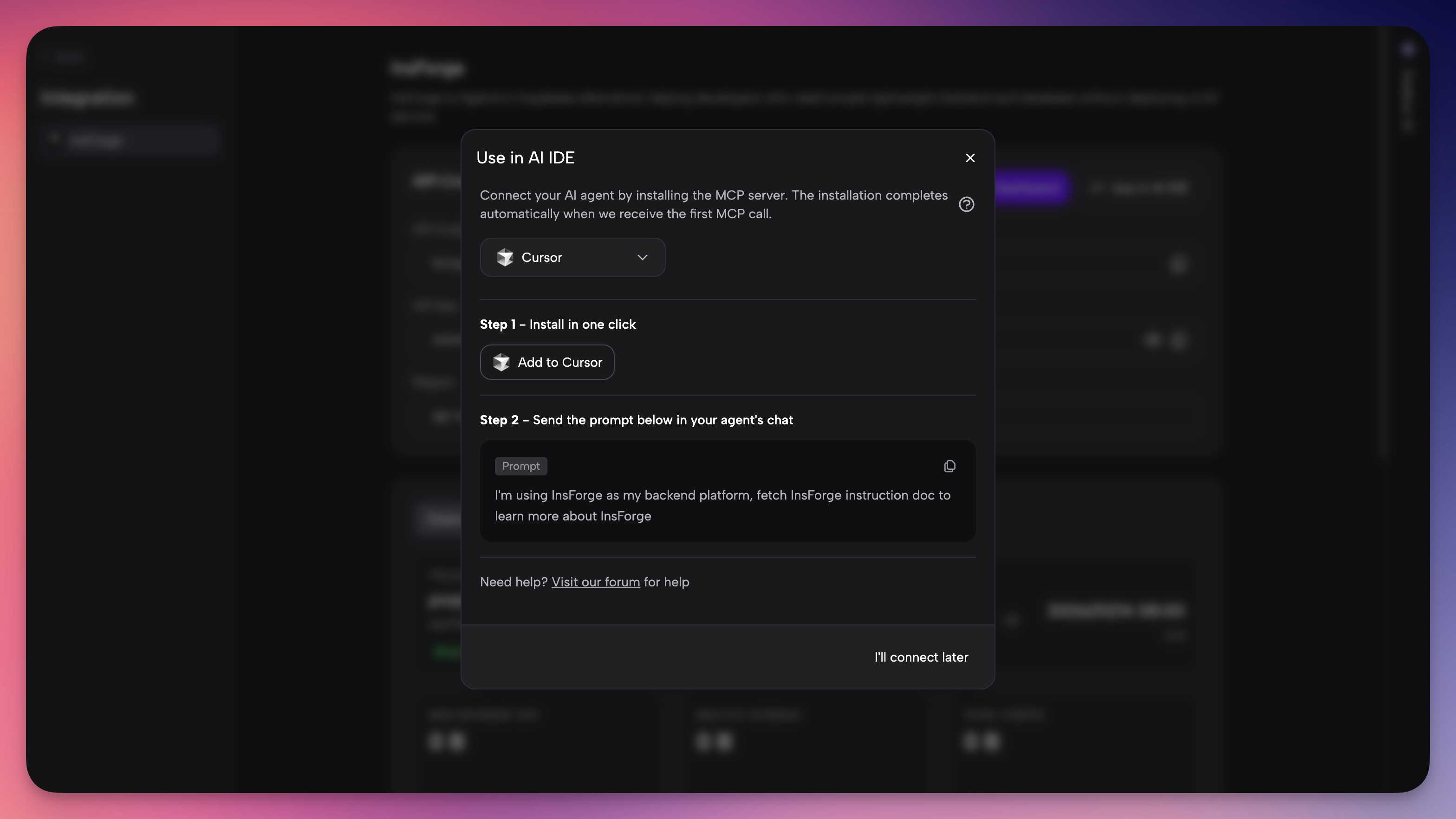
Zeabur Integration Page
Configure Cursor / Antigravity
For One Click Deploy MCP:
For Cursor: Click
Add to CursorButton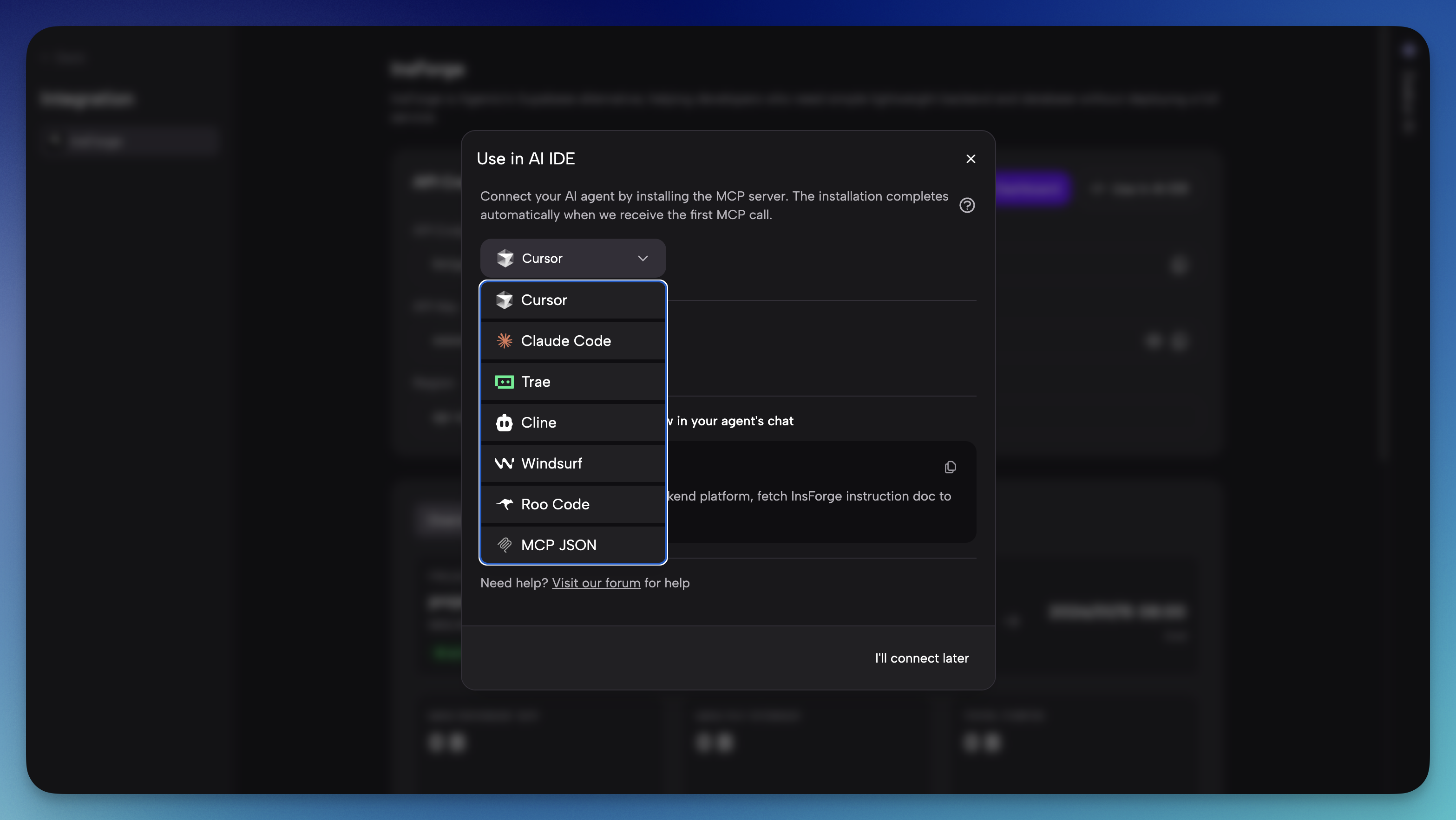
For Manual Config: → Open your editor settings.
- For Cursor: Go to
Cursor Settings>Features>MCP Servers>+ Add New. - For Antigravity: Go to Terminal and insert (you can find this page in Insforge Dashboard.)
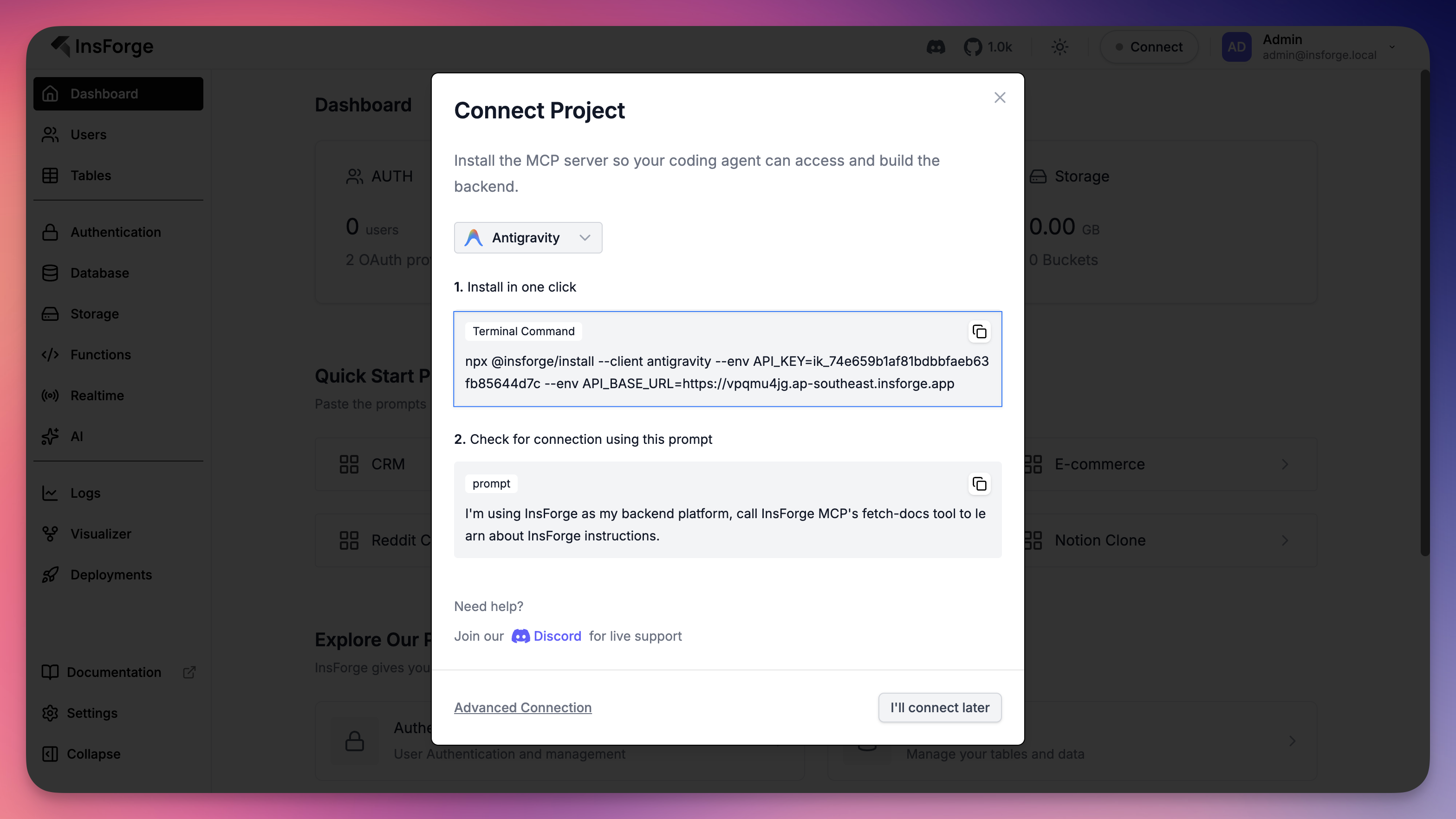 jsx
jsxnpx @insforge/install --client antigravity --env API_KEY=ik_xxxxxxxxxxxxxx --env API_BASE_URL=https://xxxxx.ap-southeast.insforge.app`.Select "SSE" (Server-Sent Events) or Command mode depending on your preference, but the easiest way to connect is using the
npxbridge provided by Insforge.Add this configuration to your MCP config file:
you can find this page in Insforge Dashboard or Zeabur Insforge Integration page.
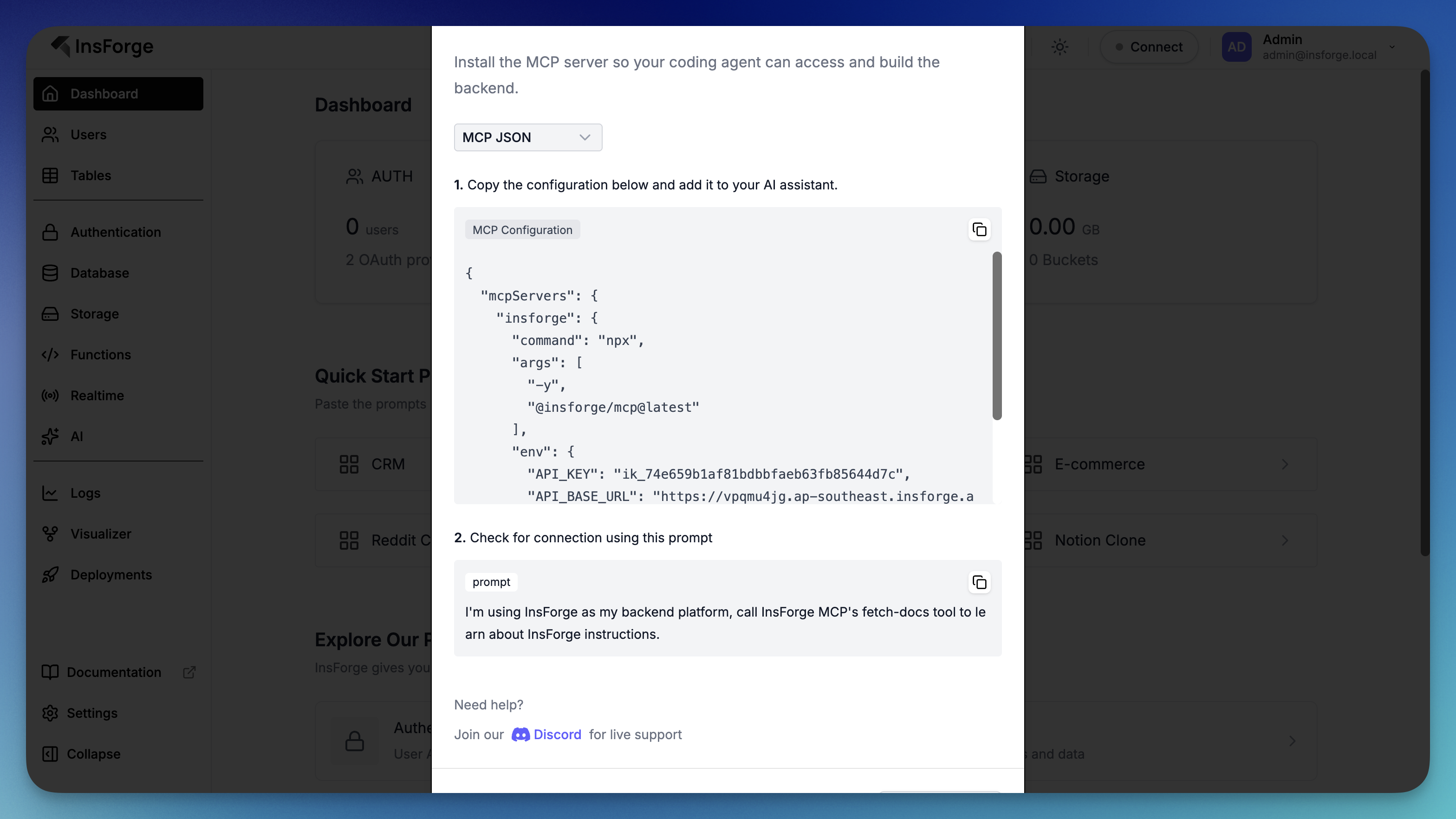
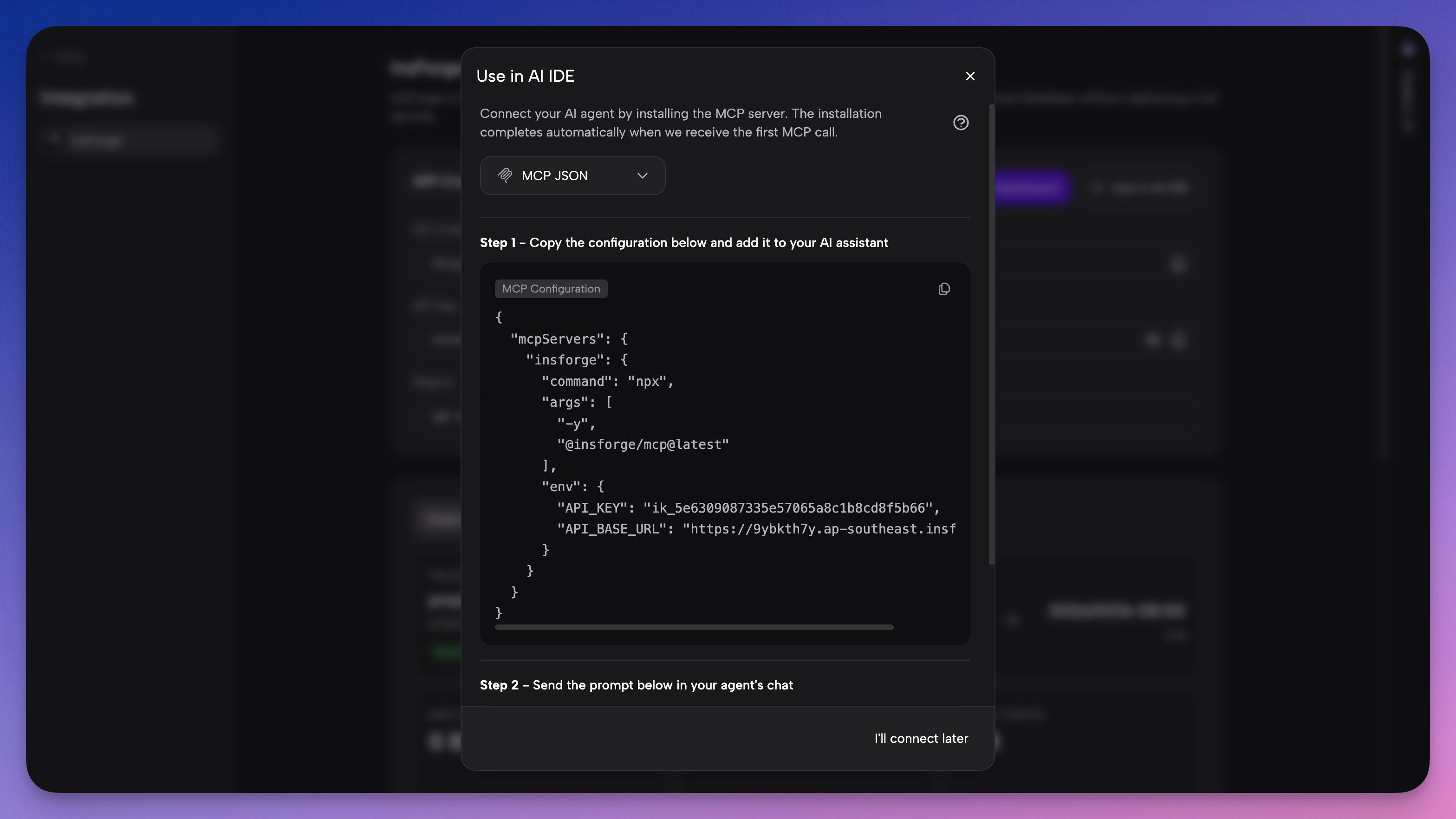 json
json{ "mcpServers": { "insforge": { "command": "npx", "args": [ "-y", "@insforge/mcp@latest" ], "env": { "API_KEY": "your_insforge_api_key", "API_BASE_URL": "https://API_BASE_URL.insforge.app" } } } }Replace the URL and API Key with your actual Zeabur deployment details.
- For Cursor: Go to
Why this improves Developer Experience: Zeabur exposes the MCP Installation Command directly on these pages. You don't need to construct the JSON config manually or guess the URL—just copy the command provided on the screen.
Step 3: Access Connection Details & Credentials (Optional)
This is the magic step. Standard backends require you to read documentation and write SQL. Insforge exposes a Model Context Protocol (MCP) server, which allows your AI editor (Cursor/Windsurf) to "talk" to your database directly.
Recommended Way: Follow Our Step-by-Step Guide
To simplify the process, we’ve created a step-by-step installation guide tailored for each AI agent. You can find this guide in our documentation (link will be updated once available). This guide ensures you get up and running quickly with minimal effort. Additionally, the Zeabur connection interface will provide direct links to the documentation for convenience.
Stay tuned for updates in our Discord community once the documentation is live!
Get your Credentials
-
In the Zeabur Dashboard, go to the Integration tab of your Insforge service.
-
Note down your Domain URL (e.g.,
https://xxxxx.ap-southeast.insforge.app).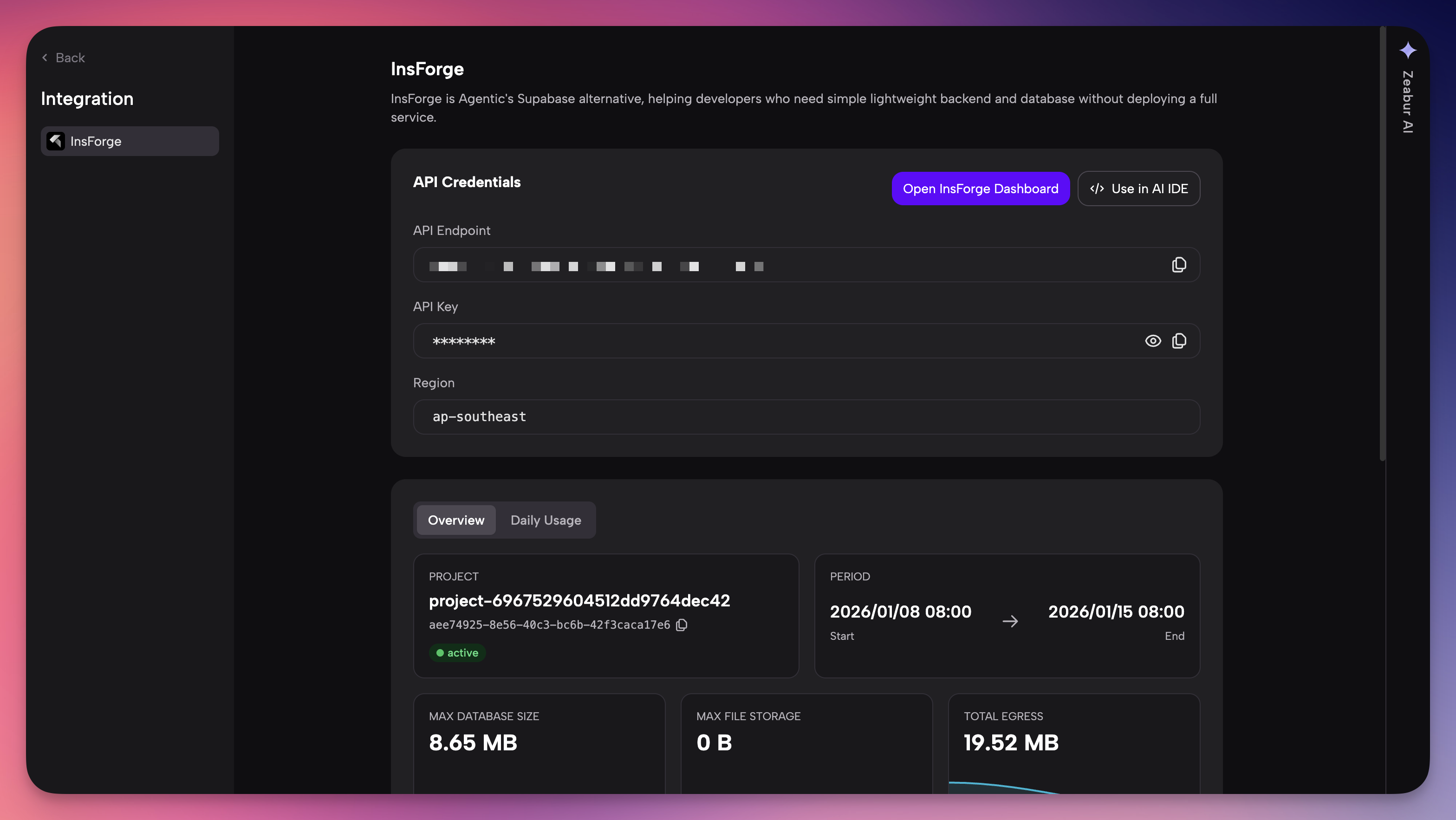
-
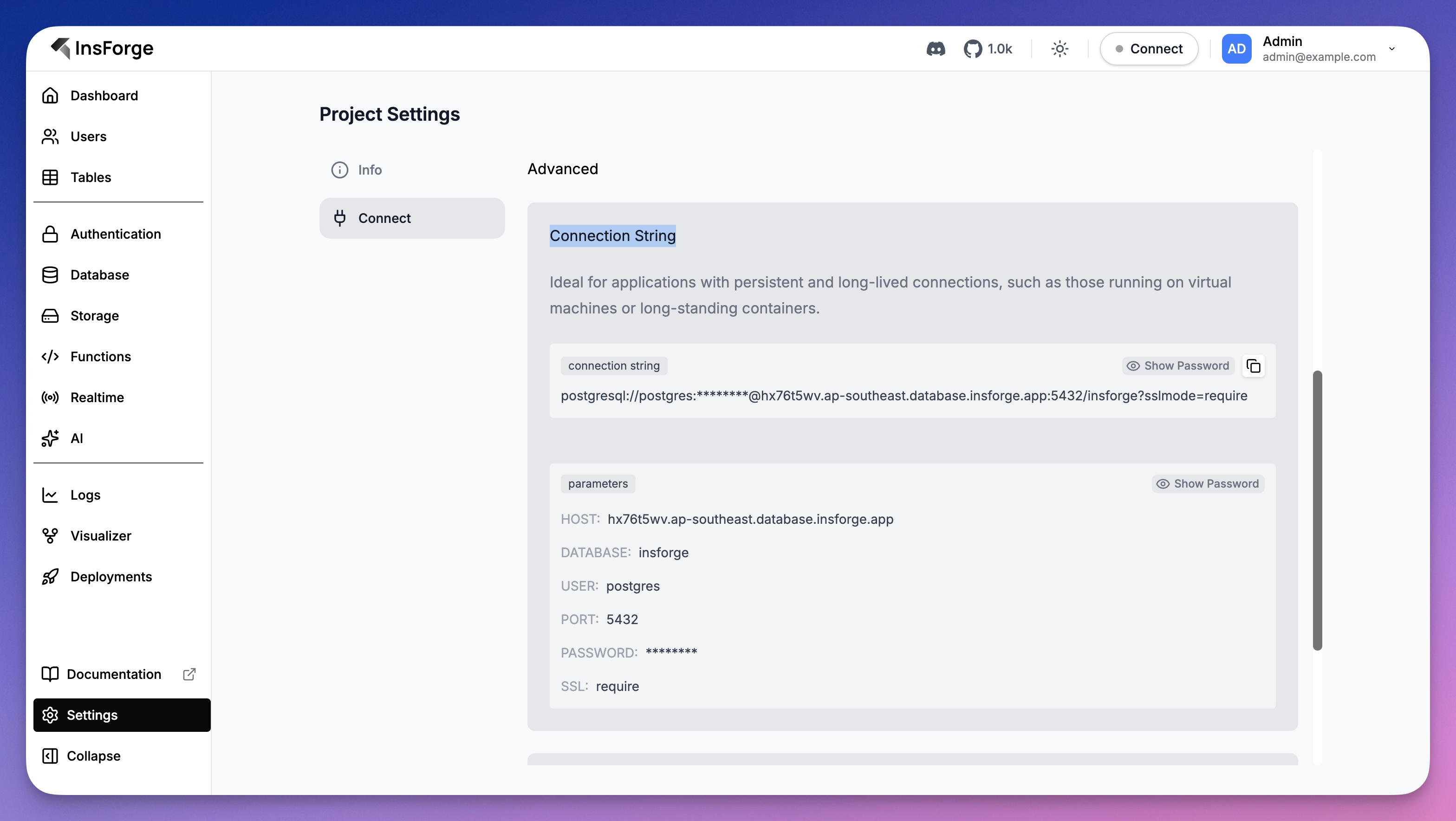
Inside your Insforge Admin Dashboard, go to Project Settings -> Connect and acquire the Connection String.
Step 4: The "Hello World" Test
Now that your agent is connected to your Zeabur infrastructure, let's test the connection. The power of Insforge is that your AI can read the manual itself.
Open your AI Chat (Command+L / Ctrl+L) and type:
"I'm using InsForge as my backend platform, call InsForge MCP's fetch-docs tool to learn about InsForge instructions."
Watch what happens:
- Tool Activation: The AI will verify it has access to the
insforgeMCP server and trigger thefetch-docstool. - Context Ingestion: It will download and read the Insforge documentation directly from your Zeabur instance, learning exactly how to create tables, manage auth, and handle data.
- Confirmation: The AI will confirm that it understands the Insforge API and is ready to build.
You are now "Vibe Coding." Your agent has read the documentation for you. You can now follow up with a command like "Create a 'Todos' table" and it will know exactly how to execute that on your Zeabur database.
Why Zeabur is the Best Home for Insforge
You might ask, "Why not just run this locally?" or "Why Zeabur?"
-
Effortless Backend Integration: By connecting Insforge to Zeabur, the entire backend is handled for you. Your AI coding agent becomes a full-stack builder, adding backend capabilities to your app in seconds. No manual setup, no extra effort—just seamless integration.
-
From Idea to Launch with a Prompt: Zeabur takes care of everything, including site deployment. With our platform, you can turn your idea into a live website using nothing but a prompt. It's a true "idea to launch" experience with zero manual intervention.
-
Zero-Config Networking: Insforge needs a database. On Zeabur, the communication between Insforge and Postgres happens over a private internal network. It is secure, ultra-fast, and requires zero setup from you.
-
Persistent & Scalable: Localhost works for prototypes, but you can't share it. By deploying on Zeabur immediately, your AI agent is building on production infrastructure from day one.
-
Cost-Effective: Zeabur’s usage-based pricing means you aren't paying $20/month for a VPS just to test an idea. You pay for the CPU/RAM you actually use.
-
No DevOps Headaches: If the server goes down, Zeabur restarts it. If you need to update Insforge, you just redeploy. You stay a developer, not a sysadmin.
Frequently Asked Questions
1. How is Insforge different from Supabase or Firebase?
While Supabase and Firebase are excellent tools, Insforge is "Agent-First." Standard backends are designed for humans to read documentation and write code. Insforge is designed with MCP (Model Context Protocol) at its core, allowing AI agents (like Cursor or Windsurf) to understand your database schema and execute tasks autonomously. If you are building with AI, Insforge creates much less friction. For Further information, check out the blog
2. How much does it cost to run on Zeabur?
Zeabur uses a usage-based pricing model. You only pay for the CPU and Memory your container actually uses. For a typical starting project with Insforge and a PostgreSQL database, the cost is very low (often just a few dollars a month). Plus, Zeabur offers free credits for new users to get started.
3. Can I connect to the Database directly?
Yes. When you deploy Insforge on Zeabur, you are provisioning a standard PostgreSQL database. You can find the external connection string in the Zeabur dashboard and connect to it using tools like TablePlus, DBeaver, or Prisma if you need to manage data manually.
4. Do I need to use an AI Editor (Cursor/Windsurf) to use Insforge?
No. While the "Magic" happens when you connect an AI agent, Insforge comes with a full Admin Dashboard GUI. You can manually create tables, manage users, and configure settings through your browser just like any other CMS or Backend-as-a-Service.
5. Is my data secure?
Yes. Zeabur isolates your services within a private network. By default, the communication between your Insforge backend and your PostgreSQL database happens internally within Zeabur, meaning your database doesn't need to be exposed to the public internet to function.
6. Can I migrate my data out later?
Absolutely. Since Zeabur provides you with a standard PostgreSQL database, you are not locked in. You can perform a standard pg_dump to export your data at any time. You may check out our lovable migration blog for example solution.
Conclusion
The combination of Insforge (AI-Native Backend) and Zeabur (AI-Native Deployment) removes the friction from modern app development.
By following this guide, you’ve set up a stack where:
- Zeabur manages the servers.
- Insforge manages the database logic.
- Your AI Agent writes the code.
You are now free to focus entirely on building a great product.
Deploy Insforge on Zeabur Now