

Zeabur OSS: keep using Zeabur on your own server
Free, works like Zeabur, and adds zero trust and encryption by default. Give one sentence to an AI assistant and it moves your services over.
 Zeabur Team
This article is also available in 繁體中文, 简体中文, 日本語, Español, and Bahasa Indonesia.
TL;DR: Open an AI assistant such as Claude Code or Codex that can act on your computer and paste this sentence:
Read https://oss.zeabur.com/docs/zeabur/get-started/from-zeabur-com.md and move my services off Zeabur onto my own server, managed by Zeabur OSS.The AI assistant first lists your services on Zeabur, picks a server for you and tells you what it costs each month. Then it installs Zeabur OSS and moves your services and data over. Before any step that costs money or changes something, such as renting a server or switching your domain, it asks you first.
Per the shutdown announcement: from December 1, dedicated servers shut down on their own expiry dates. Shared-cluster services are suspended from December 1, and you can still resume them manually to back up your data. On December 31 all services stop. Plan around your own expiry date, and don't wait until the last day.
Why Zeabur OSS?
Zeabur the service is ending, but we don't want that to take away the way of working you know. The goal of Zeabur OSS is simple: keep deploying services the Zeabur way, on your own server.
When you run Zeabur yourself, you might worry: is it easier to hack? So we redesigned how Zeabur OSS protects you:
- No master key: a typical platform holds one key that opens every service. If that key is stolen, everyone's services are exposed. Zeabur OSS has no such key. It can only use the pass you get when you sign in, to do what you're already allowed to do, and the pass expires soon. This way of working, "trust no one by default and check every step", is called zero trust.
- Passwords and API keys encrypted by default: passwords and API keys you put in secret variables are encrypted automatically when they're stored on your server. People on your team without permission can't see their values.
- Your dashboard is safe by default: we want your platform protected from day one. Admins can't sign in with a password alone. They use a passkey, which means a fingerprint, face or phone unlock, or a password plus a one-time code from an authenticator app on their phone. Even if a password leaks, nobody else can sign in.
- Your data stays with you: your services and data live on your own server, and you choose the region and the provider.

To learn more, read Building a zero-trust PaaS.
Zeabur OSS also manages services in common, industry-standard formats, so it isn't something only Zeabur can read. An AI assistant can read how your services are set up and adjust them. Moving, fixing problems and everyday upkeep can all be handed to an AI assistant, so you don't have to wait for us to build a new feature for each one.
We also wrote a moving guide for AI assistants. It is the link in the sentence above. Once an AI assistant reads it, it knows how to move your Zeabur projects to your server and keep things working the way you're used to as far as possible.
We followed the same guide to move the services we still had on Zeabur to Zeabur OSS, one by one, and it went smoothly.
What is Zeabur OSS?
Zeabur OSS is Zeabur that you install on your own server. Projects, services, domains, environment variables and templates work just as they do on Zeabur. The difference is that you rent the server yourself, and you choose the provider and the plan.
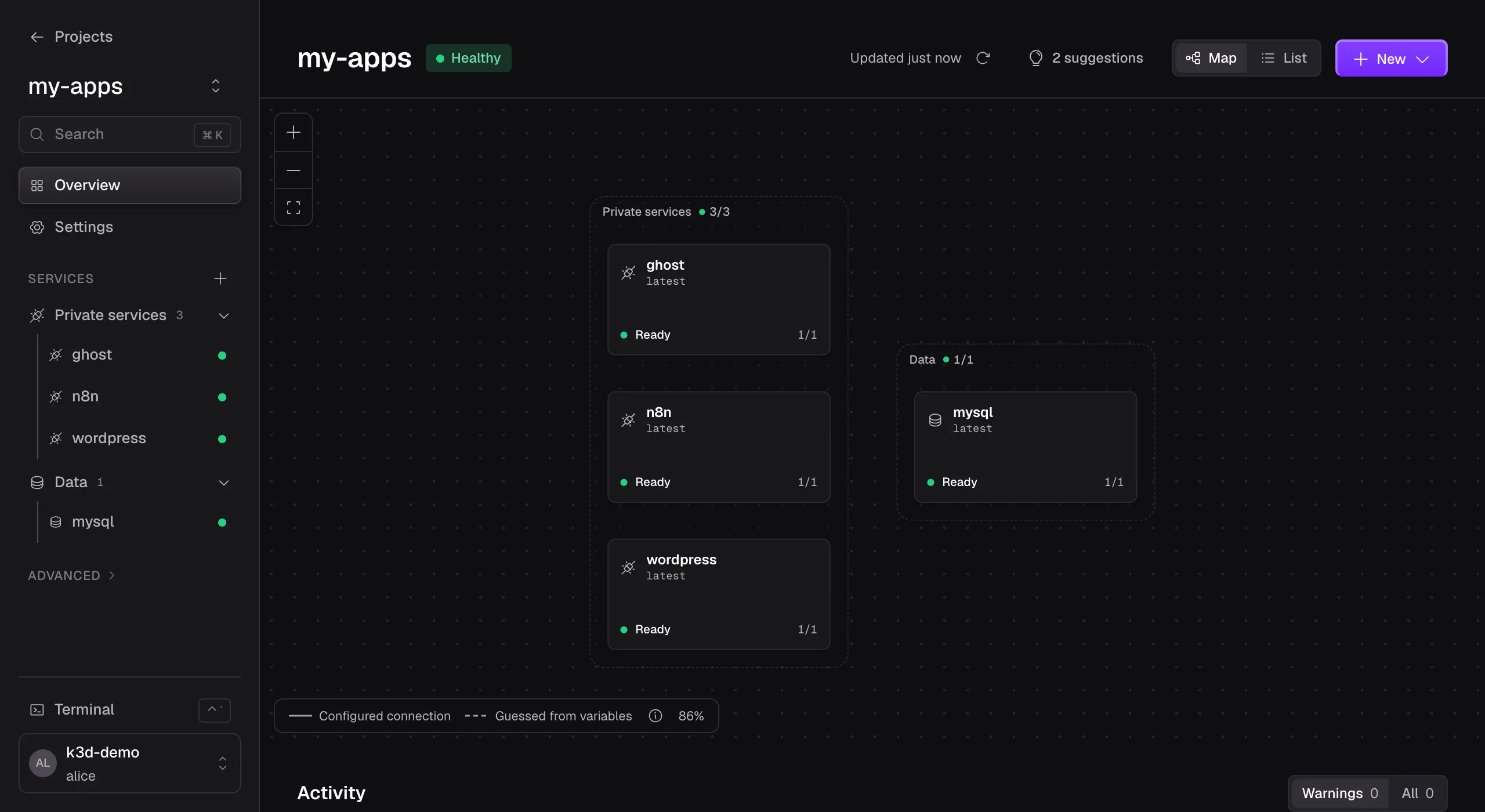
| Zeabur | Zeabur OSS | |
|---|---|---|
| How you deploy | From GitHub, a template or an uploaded folder | Same |
| Domains, variables, logs, going back to the previous version | On the service page | Same |
| Where your services live | Zeabur's servers | A server you rent yourself |
| Cost | Paid to Zeabur | Zeabur OSS itself is free. You pay server rent to the host you pick |
| Who looks after it | Zeabur | You or your team handle updates, backups and the server |
| Team sign-in | A Zeabur account | Everyone signs in with their own passkey or password and sees only the projects shared with them. Admins need two factors by default |
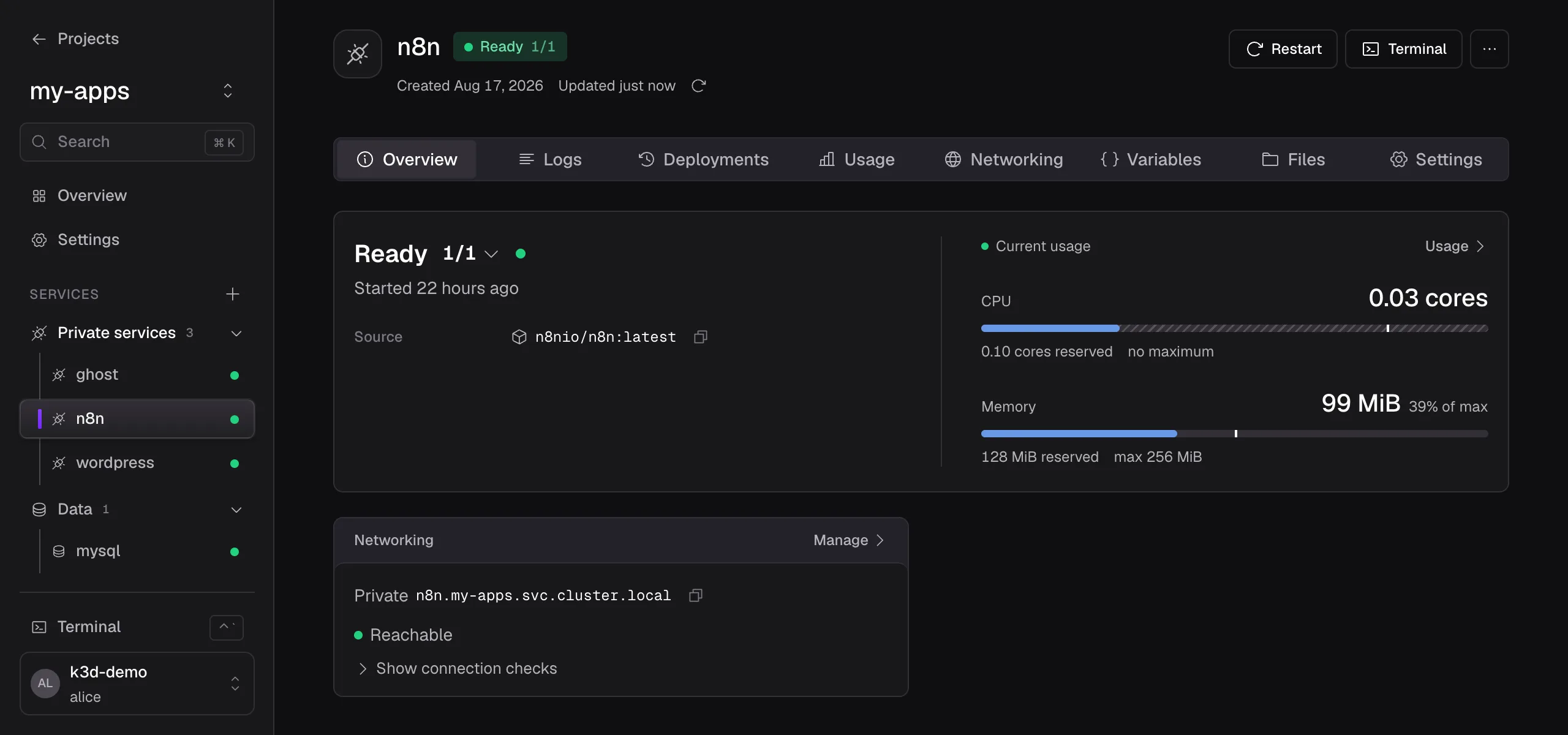
Besides the features you know, the home page gathers everything that needs your attention across all projects. When a service keeps crashing, it explains the cause in plain words and what to do. It also warns you when a database has no backup copy, or when the server is running low on memory or space.
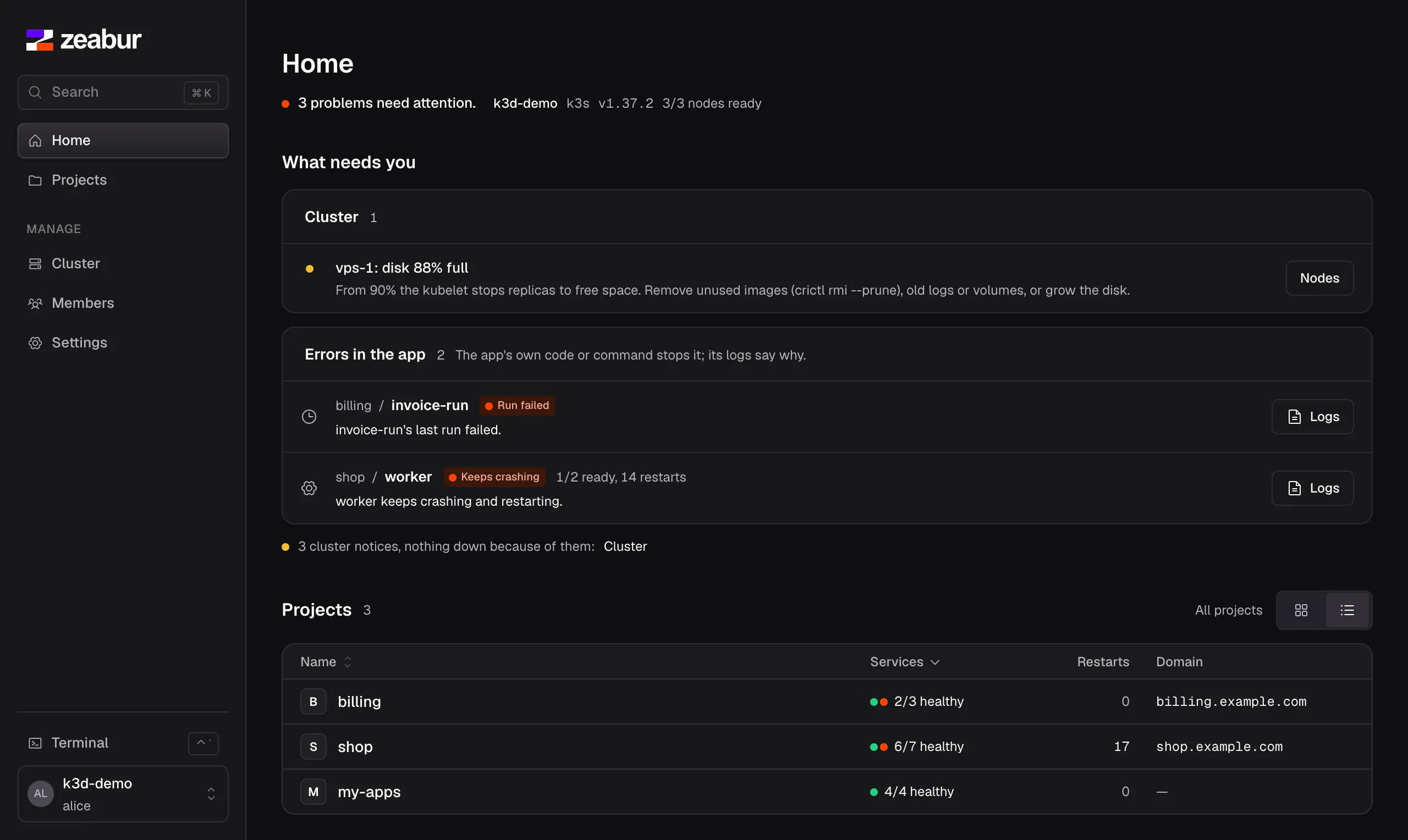
Projects don't move over by themselves. Each service and its data has to be moved once, either by an AI assistant or by you.
How does the move work?
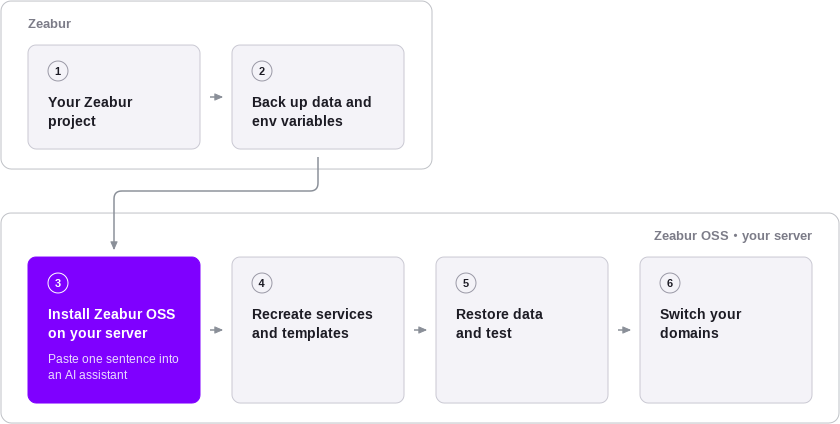
The first two steps happen on Zeabur and the last four on your own server. Until you switch your domain, nothing changes for your services on Zeabur, so you can stop at any time.
Two things to know before you move:
- The
.zeabur.appaddress Zeabur gave you can't be taken with you. After the move, use your own domain. - Zeabur's daily backups don't come along. Once you've moved, set up backups again in Zeabur OSS.
Tell your AI assistant your situation: n8n as an example
Say you deployed n8n from a Zeabur template, in a project called n8n on the shared cluster (for example, AWS Taipei).
Pasting only the first sentence is enough to move, but if you add a few lines about your situation, the AI assistant doesn't have to come back and ask you one thing at a time:
Read https://oss.zeabur.com/docs/zeabur/get-started/from-zeabur-com.md and move my services off Zeabur onto my own server, managed by Zeabur OSS.
Move only the n8n project this time. It runs on a shared cluster.
I don't have a server yet. Please recommend one and tell me the plan, region and monthly price first.
My expiry date is December 1, and I'd like to switch the domain after 11 pm.
Each line answers something the AI assistant would ask before it starts:
- Which services to move: if you name only n8n, the AI assistant leaves your other projects alone.
- Where they run: saying it's a shared cluster tells the AI assistant how to read your services. After December 1, shared-cluster services are suspended, so resume them manually before you back up your data.
- The server: if you've already rented one, include the connection details your provider gave you. If not, the AI assistant lists plans and prices first and rents nothing until you agree.
- Deadline and downtime window: the AI assistant plans around your expiry date and asks you once more before it switches.
From there, the AI assistant picks a suitable way to rebuild each service and restore its data, based on what kind of service it is. That's all in the moving guide it reads, so you don't need to explain it.
Want to do it yourself?
If you'd rather move things yourself, or want to know what the AI assistant does at each step, see the guide Coming from Zeabur. To back up your data from Zeabur first, see Moving out of Zeabur.
What if something goes wrong?
First, ask the AI assistant to sum up where things stand and any error messages. For Zeabur OSS problems, find us on our Discord. For services on Zeabur, exporting data or billing, keep going through Zeabur Support.
Zeabur the service is ending, but the way you deploy can stay with you on your own server. Give it a try, and keep sending us your suggestions.