

Cluster
Run your services on a multi-node Kubernetes cluster — fully managed or bring your own.
 Pan
PanZeabur now supports Clusters — multi-node Kubernetes environments for workloads that have outgrown a single machine. Whether you want a fully managed cluster spun up in one click, or prefer to bring an existing cluster from your own cloud provider, Zeabur now has you covered.
Why a Cluster?
A Dedicated Server is a great fit when you need exclusive resources on a single machine. But as your system grows, a single node becomes a bottleneck. A cluster solves this by distributing your workloads across multiple Kubernetes nodes, giving you:
- Multi-node scheduling: Spread services and replicas across machines so no single host bears the full load.
- Node failure tolerance: When a node goes offline, workloads are automatically rescheduled to healthy nodes — reducing the risk of a full outage.
- Distributed storage: Persistent volumes that can follow workloads across nodes, rather than being pinned to a single machine's local disk.
- Horizontal scaling: Add nodes to grow capacity, instead of being limited to vertically upgrading a single host.
In short, a server gives you exclusive resources; a cluster gives you coordination and resilience.
One-Click Cluster Purchase
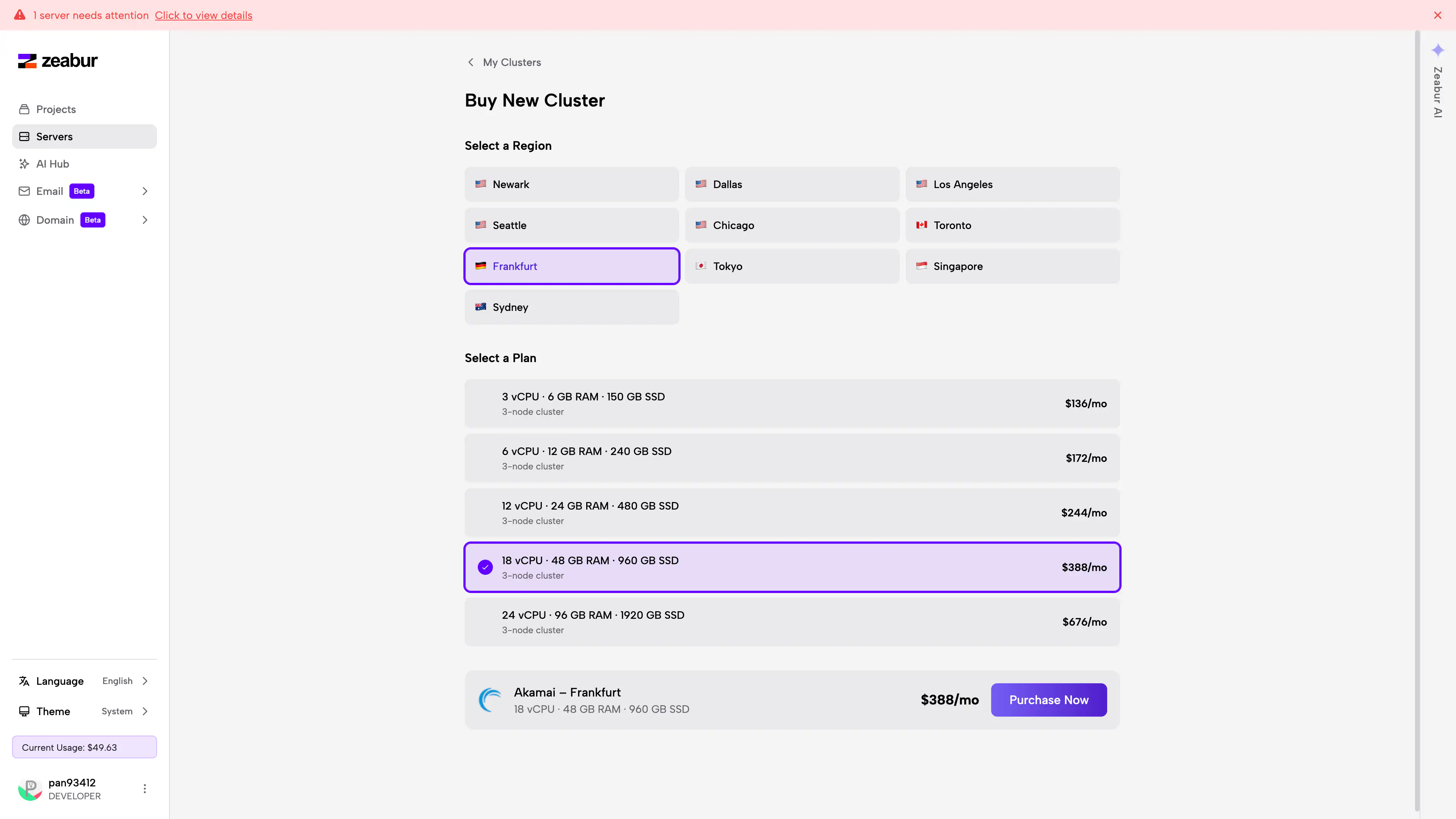
For teams that want a ready-to-use Kubernetes cluster without managing a control plane, Zeabur now offers a one-click purchase flow powered by Linode. Select your region and node plan, review the cost, and submit — Zeabur handles provisioning, networking, and initialization in 3–5 minutes.
Once the cluster is ready, it appears in your server list. You can immediately use it to create projects and deploy services from the Dashboard, with no Kubernetes configuration required.
See Purchase a Cluster for a step-by-step walkthrough.
Connect Your Own Cluster
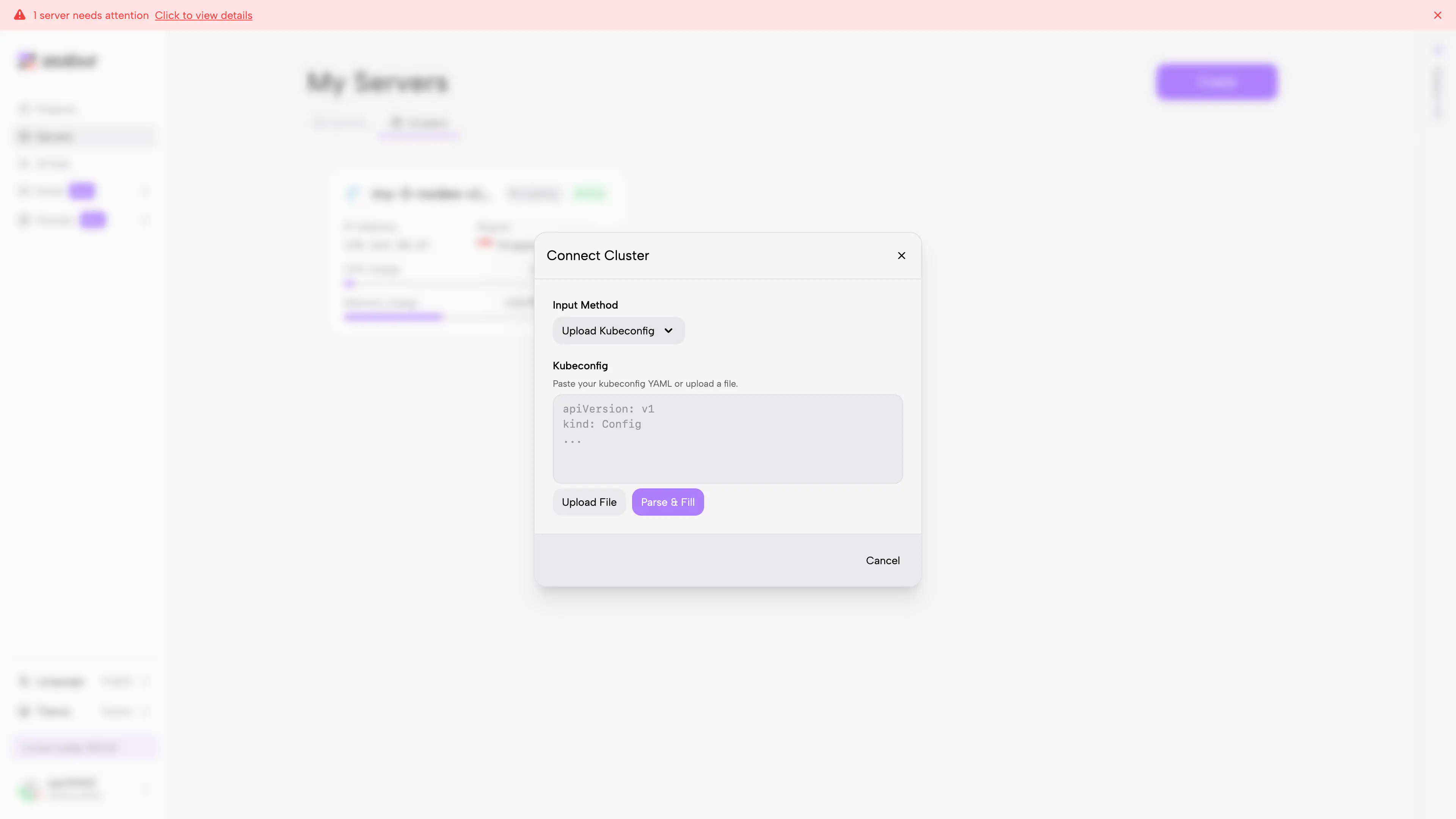
Already running Kubernetes on AWS, GCP, DigitalOcean, Hetzner, or another provider? You can connect it to Zeabur by uploading your kubeconfig. Zeabur parses the cluster details, verifies the connection, and onboards it in a few minutes — after which it behaves just like any other cluster in your account.
This option is ideal if you need to preserve your existing network topology, data location, or compliance configuration, while still centralizing day-to-day operations in the Zeabur Dashboard.
See Connect an Existing Cluster for details.
Get Started
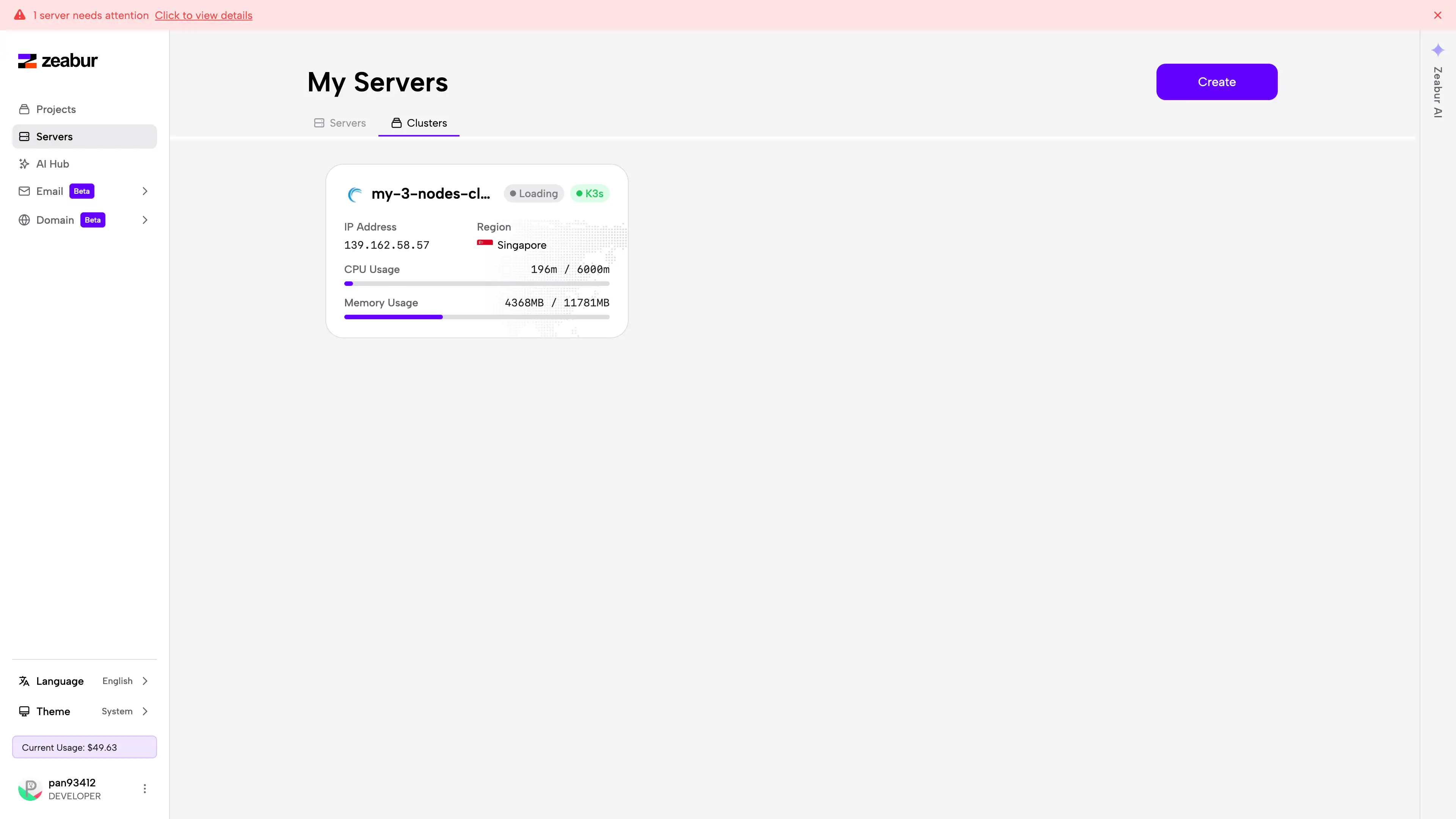
Go to zeabur.com/servers, select Cluster, and click Create to get started.
If you have questions or run into any issues, open a support ticket in our Forum — we're happy to help.