

A Major Security Upgrade: Managing Sensitive Data and Server Credentials More Securely
Starting today, you can remove SSH passwords and private keys from Zeabur, see who logs in to your servers, and migrate environment variables and config files to your own Dedicated Server
 Fong
Fong
To further improve the security and experience of our Dedicated Server users, we have upgraded our management architecture for Dedicated Servers. This upgrade comes in two parts: SSH passwords and sensitive data migration.
1. SSH passwords
Delete saved SSH credentials
Go to Server → Settings → SSH password and select Delete saved SSH credentials to remove the SSH password and private key stored by Zeabur, so you keep your login credentials yourself.
After deletion, your services keep running and Zeabur can still manage your deployments. Note that OS reinstall and server resizing are currently unavailable once the credentials are deleted.
This action does not require ZeaburOS.
If Zeabur still stores a server's SSH credentials, the SSH tab also shows a reminder that takes you to settings to delete them.

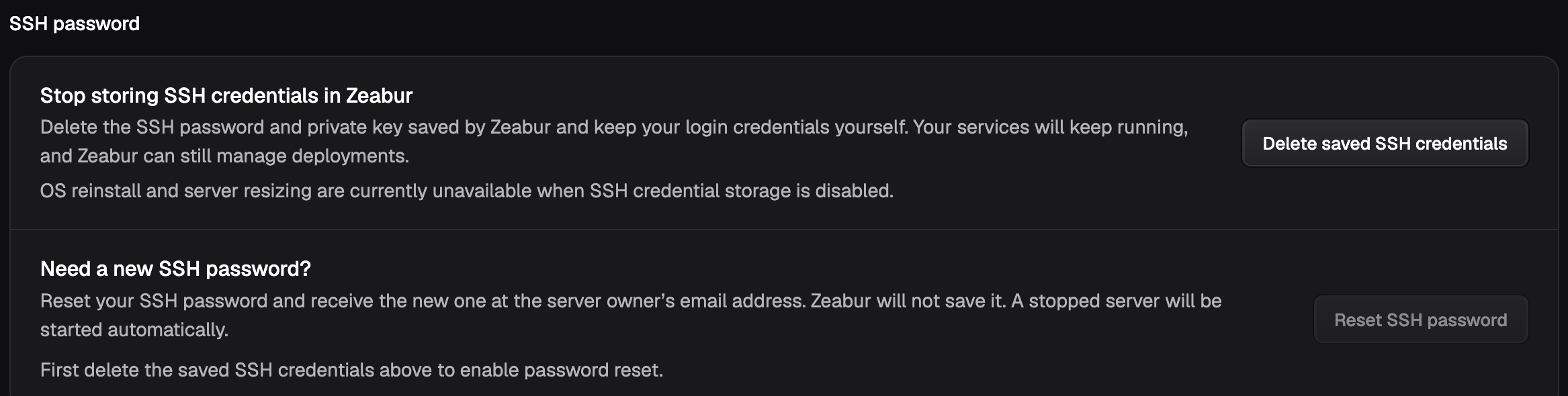
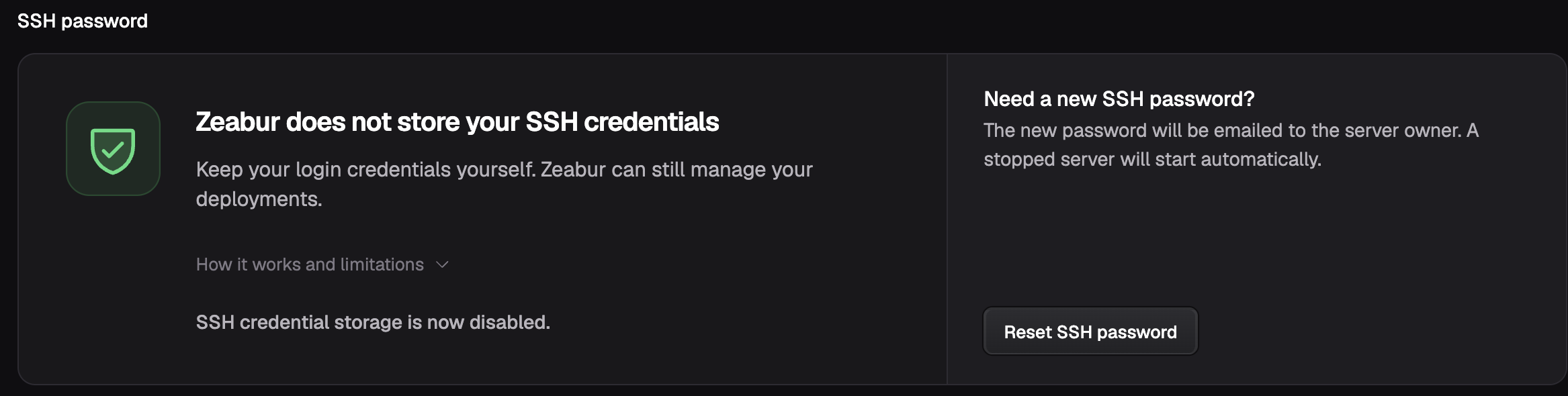
Reset your SSH password
Once the saved SSH credentials are deleted, you can select Reset SSH password in the same section. The new password is emailed only to the server owner, and Zeabur does not save it. If the server is stopped, it will be started automatically.

Resetting your SSH password, as well as the login history and login notifications below, requires ZeaburOS to be installed on your server. Supported providers are Hetzner, DigitalOcean, Linode, Tencent Cloud, Alibaba Cloud, AWS Lightsail, and GCP. Linode and Tencent Cloud servers reboot during a password reset.
See who logs in to your server
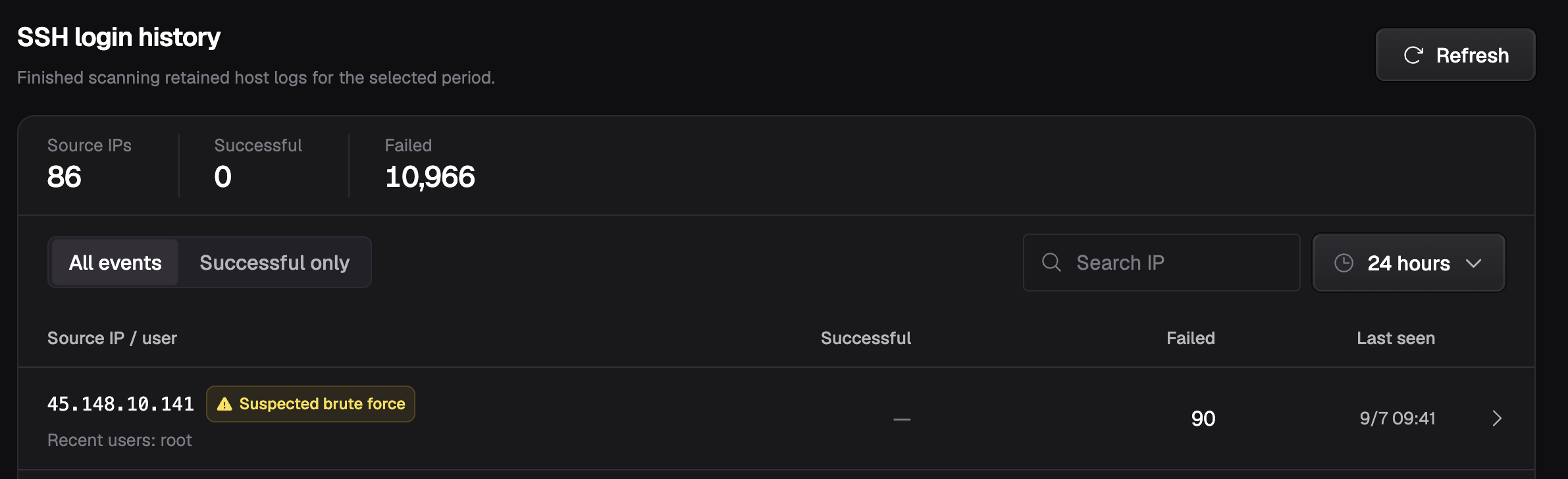
- SSH login history: Go to Server → SSH to see the IP address of every attempt to connect to your server over SSH, along with how many logins succeeded and failed.
- Firewall rules: Go to Server → Firewall to create access rules and further control who can reach your machine. The firewall does not require ZeaburOS.
- New login source emails: When an IP address logs in to your server over SSH successfully for the first time, we send you a security notification email.
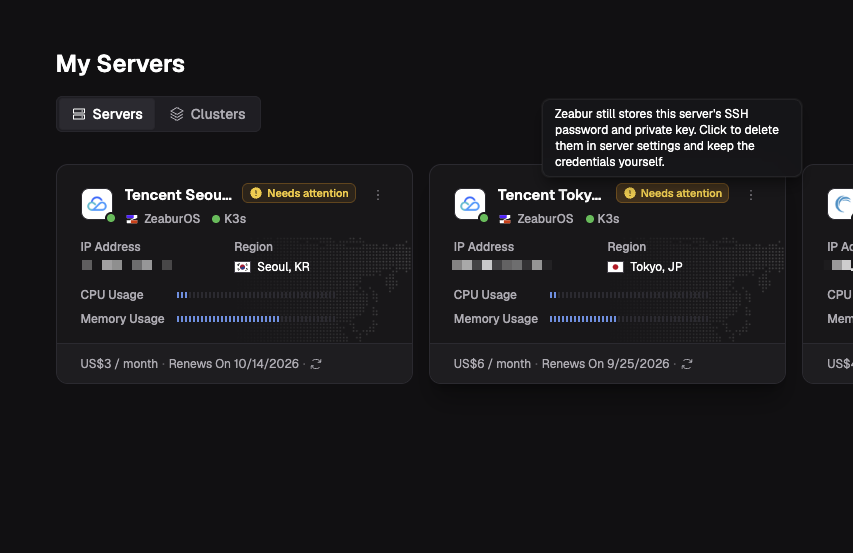
Look for the "Needs attention" badge on server cards
If Zeabur still stores a server's SSH password and private key, its card shows a Needs attention badge. Click the badge to open the server settings and delete the saved SSH credentials.
2. Sensitive data migration
Go to Project → Settings → Service data location, select Migrate to server, and review the confirmation before starting.
This moves environment variables and config files for every service and environment in the project to the server hosting that project, stored as Kubernetes Secrets. After migration, Zeabur's database keeps no copy, and Zeabur only reads this data when building and deploying.

Before you migrate:
- The migration cannot be reversed to Zeabur-managed storage.
- Back up separately: Service and volume backups are not guaranteed to include these Kubernetes Secrets, so back them up on your own.
- Logs, exports, and backups created before the migration stay on Zeabur and are not deleted.
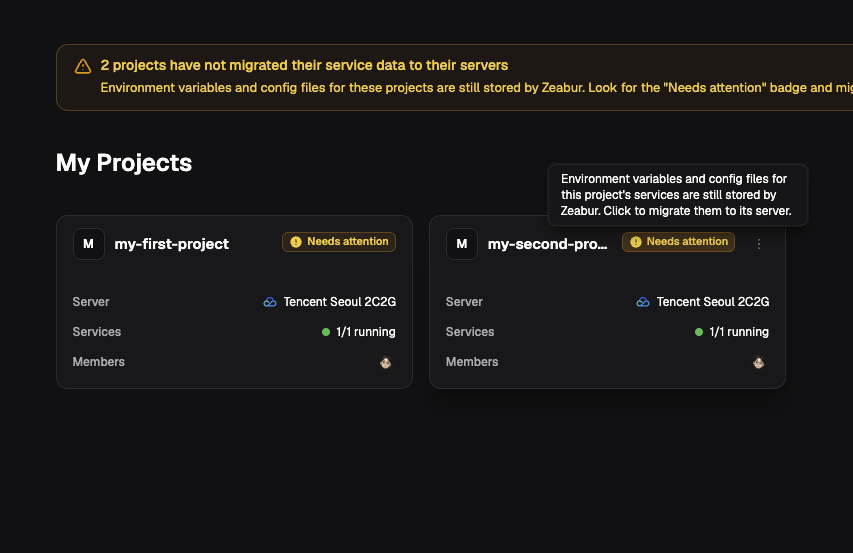
Projects that have not been migrated show a Needs attention badge on their cards. Click the badge to start the migration.
Take action now
- Delete saved SSH credentials and reset your password as soon as possible from the Servers page.
- Migrate your sensitive data immediately from the Projects page.
In the upcoming days, the Zeabur team will perform further credential removal and rotation for every Dedicated Server. If you have already completed the rotation manually, we will not make any changes.
One note
Please note that these security upgrades apply only to Dedicated Servers. If your services are currently running on a shared cluster, we recommend switching to a Dedicated Server for full control over your infrastructure and credentials.
Thank you again for choosing Zeabur and for your continued trust in us. If you need any assistance, please submit a support request at Zeabur Support—we will assist you as soon as possible.