


Syncthing Node (P2P)
Syncthing is a continuous, peer-to-peer file synchronization program. It syncs files between devices in real time with no cloud dependency. This template enables direct P2P connection by exposing the BEP sync protocol on TCP/UDP 22000, so peers connect without going through Syncthing's relay servers. Deploy on Zeabur as an always-on sync node.
Services
syncthing
syncthing/syncthing:2Syncthing Node (P2P)
Continuous peer-to-peer file synchronization with direct P2P connection support — no reliance on Syncthing's relay servers.
This template exposes the BEP sync protocol (TCP/UDP 22000) via Zeabur Port Forwarding, so other Syncthing peers can connect to your Zeabur instance directly. The Zeabur instance acts as an always-on sync node, keeping files in sync even when your other devices are offline.
First Launch
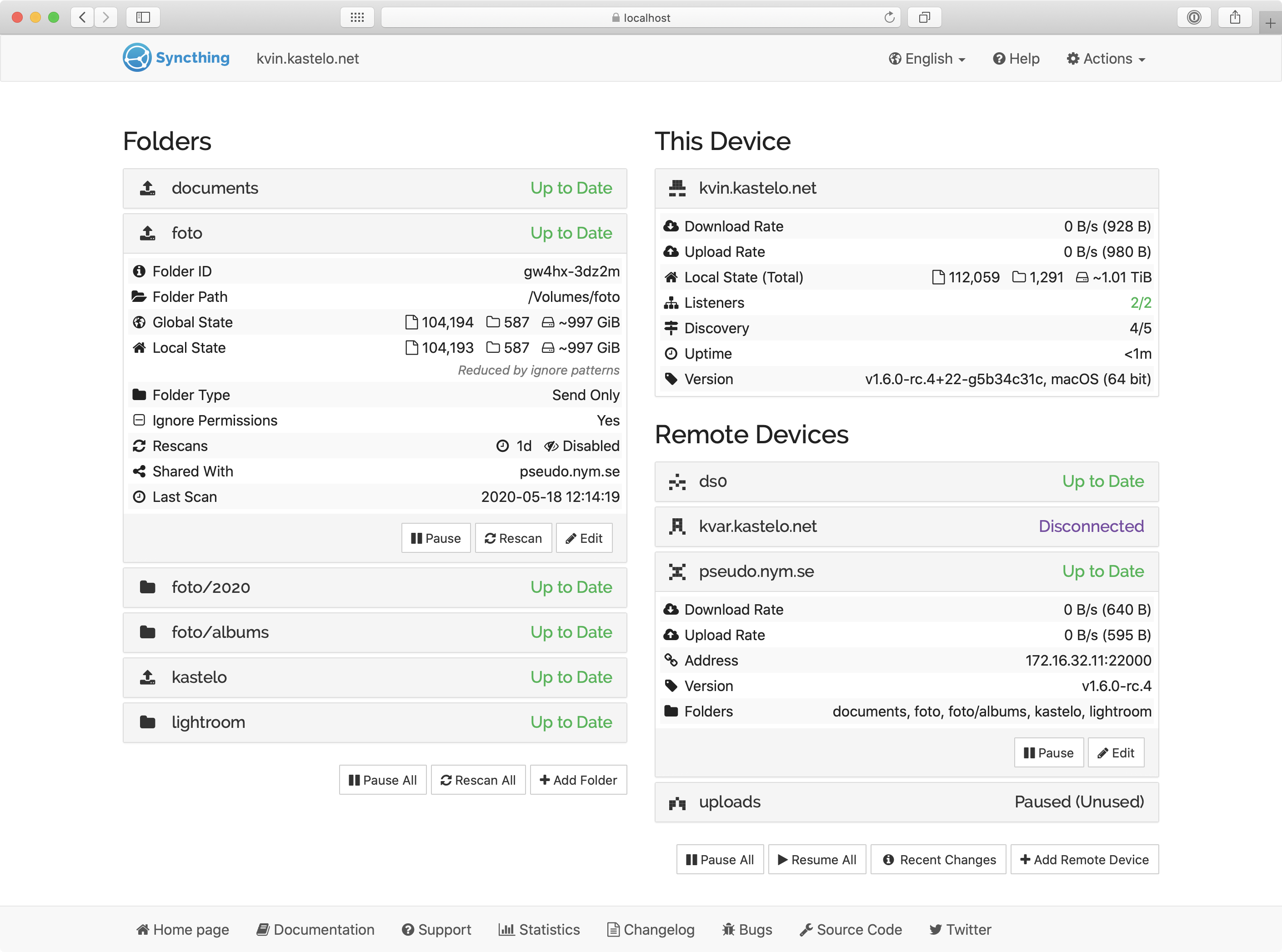
- Visit your domain — the Syncthing Web UI opens directly
- ⚠ Set a GUI password within the first minute — open Actions > Settings > GUI and set a username/password. The Web UI is exposed publicly with no auth by default; if you delay, anyone scanning your domain can take over the node
- Add remote devices — share Device IDs between your Syncthing instances
- Add folders — select which folders to sync and with which devices
Enable Direct P2P Connection (No Relay)
By default, Syncthing devices behind NAT can fall back to Syncthing's relay network, which throttles transfer speed. This template pre-exposes TCP/UDP 22000 so peers can connect directly.
Step 1 — Find the forwarded address. In the Zeabur Dashboard, open this service's Networking tab. You will see two forwarded entries for ports sync-tcp (22000/TCP) and sync-udp (22000/UDP), each in the form <host>:<port>. On dedicated server projects this will be your server's public IP and an assigned port (the exact values shown in your dashboard differ per deployment). The TCP and UDP forwarded ports often share the same number (Zeabur uses one external port for both listeners on the same internal port).
Step 2 — Configure your peer device. On your other Syncthing devices (laptop, phone, NAS, …), add this Zeabur instance as a remote device. Then click into the device entry, expand Advanced, and set the Addresses field to (comma-separated):
tcp://FORWARDED_HOST:FORWARDED_TCP_PORT, quic://FORWARDED_HOST:FORWARDED_UDP_PORT
Replace the placeholders with the values from Step 1. If you want to keep relay as fallback when the static addresses fail, append , dynamic at the end. Do not leave Addresses as just dynamic — global discovery cannot infer the forwarded random port and Syncthing will silently fall back to relay.
Step 3 — Verify. In the Web UI's Remote Devices panel, the connection status should show TCP or QUIC (not Relay). The relay bandwidth bottleneck is avoided.
Operational Notes
- Don't sync
/var/syncthing/config— it contains the device's private key and Device ID. Syncing it across machines creates Device ID conflicts. - Data at rest is plaintext on the Zeabur volume. If you treat the cloud as untrusted, use Syncthing's Untrusted Devices / Encrypted Folders feature.
- Forwarded host/port may change — Zeabur usually keeps them stable but doesn't guarantee permanence. If they change, update the Addresses on your peer devices.
- Don't sync directories managed by another cloud service (iCloud Drive, OneDrive, Dropbox, Google Drive). They will fight Syncthing over file ownership and produce endless
sync-conflictfiles. Keep Syncthing folders in paths outside other sync engines.
Key Features
- Direct peer-to-peer sync — no third-party relay required
- End-to-end encryption in transit
- Cross-platform (Linux, macOS, Windows, Android)
- Versioning and conflict handling
- Web UI for configuration and monitoring
Persistent Data
All config and synced data are stored under /var/syncthing (backed by a Zeabur volume).
License
MPL-2.0 — GitHub · Official Site · Documentation
Services