


Speedtest Tracker
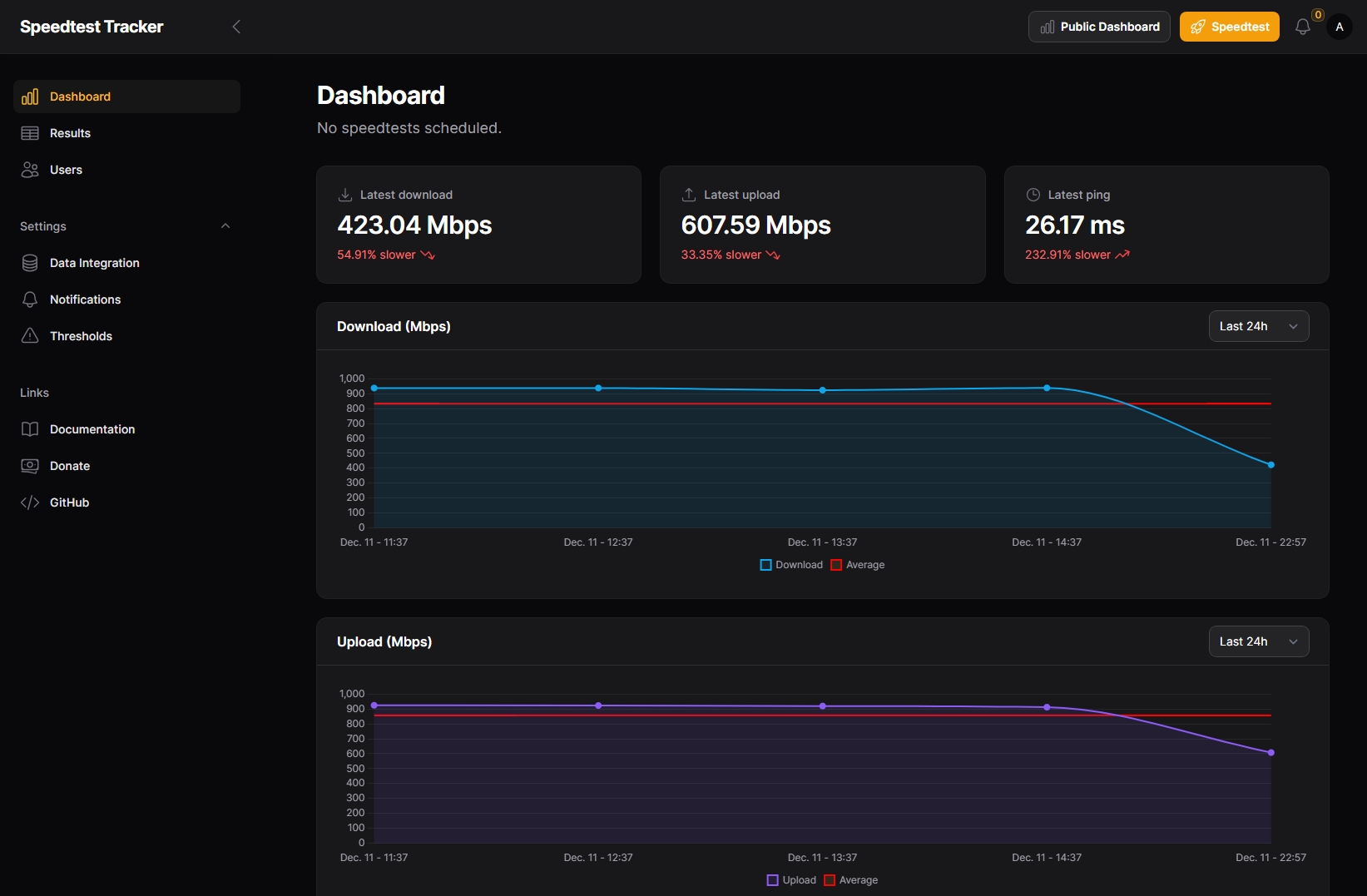
Speedtest Tracker is a self-hosted internet speed monitoring application. It automatically runs scheduled speed tests and tracks download/upload speeds, ping, and packet loss over time with beautiful charts and historical data.
Services
speedtest-tracker
linuxserver/speedtest-tracker:1.13.12Speedtest Tracker
Speedtest Tracker is a self-hosted application that monitors the performance and uptime of your internet connection.
Features
- Automated Speed Tests - Schedule regular speed tests via cron expressions
- Detailed Metrics - Track download/upload speeds, ping, and packet loss
- Historical Data - View trends and identify patterns over time
- Notifications - Get alerts when performance drops below thresholds
- Beautiful Dashboard - Clean, modern UI with interactive charts
Default Login
- Email:
admin@example.com - Password:
password
Change these immediately after first login via your profile settings.
What You Can Do After Deployment
- Open your domain — access the Speedtest Tracker dashboard
- Log in — use the default credentials above and change your password immediately
- Configure schedule — adjust the
SPEEDTEST_SCHEDULEenvironment variable in Zeabur (Service > Variables) to change test frequency (default: every 30 minutes) - Set up notifications — configure notification channels in the app to get alerts when speeds drop below thresholds
- View results — browse the dashboard for historical speed test data, charts, and trends
Environment Variables
| Variable | Description |
|---|---|
APP_KEY | Laravel encryption key (auto-generated) |
DB_CONNECTION | Database type, defaults to sqlite |
SPEEDTEST_SCHEDULE | Cron expression for automated tests (default: */30 * * * * = every 30 min). Format: min hour day month weekday. Examples: 0 * * * * = hourly, 0 */6 * * * = every 6 hours, 0 8 * * * = daily at 8am |
APP_TIMEZONE | Timezone for the application (e.g. Asia/Taipei) |
PUID | User ID for file permissions |
PGID | Group ID for file permissions |
License
Services