


EasyNode
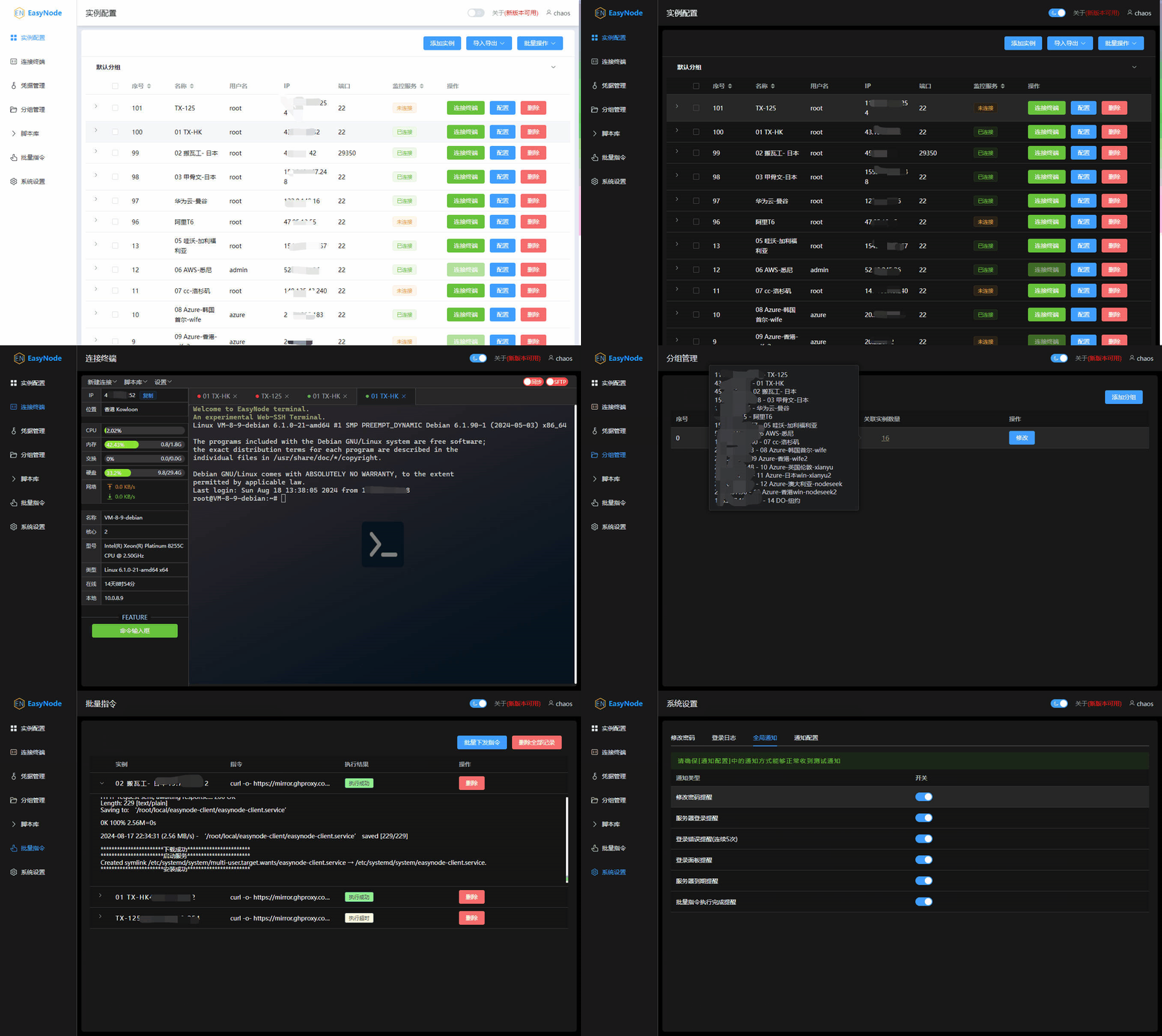
A multi-functional Linux & Windows server Web terminal panel (WebSSH & WebSFTP).
Services
EasyNode
chaoszhu/easynode:latestEasyNode
Special License Notice
This project is not developed by the template uploader, but by Chaos Zhu and is licensed under the Business Source License 1.1. Free use is limited to:
- ✅ Personal learning and non-commercial use
- ✅ Educational and research purposes
- ✅ Internal evaluation or testing
The following actions are strictly prohibited (unless commercial authorization is obtained from the original author):
- ❌ Any form of commercial use
- ❌ Selling or providing it as a SaaS service externally
If you are a corporate user or using it in a commercial environment, please be sure to contact the original author for authorization, otherwise legal risks may arise.
Features
- ✅ Fully functional SSH Terminal & SFTP
- ✅ Jump server functionality: Save slow instances and accelerate cross-border terminal input
- ✅ AI Chat component: Chat linked with the terminal
- ✅ Batch import, export, and edit server configurations, scripts, etc.
- ✅ Script Library
- ✅ Instance Grouping
- ✅ Credential Hosting
- ✅ Multi-channel Notifications
- ✅ Batch Command Execution
- ✅ Custom Terminal Themes
Deployment
- Starting from v3.1.0, the default username/password is no longer
admin/admin. Please check the terminal logs to retrieve them. Please change the password immediately after logging in to avoid leaving sensitive information in the logs.
Please remember your account and password. For security reasons, a one-click password reset script is not provided.
Monitoring Service Installation
- Starting from v3.2.0, there is no need to install the monitoring server separately. Client downloads are no longer provided for versions below this. It is recommended to upgrade to this version.
For servers that have already installed the monitoring service, it is recommended to use the built-in one-click script to uninstall it: Script Library -> EasyNode Monitoring Service Uninstall.
Security & Suggestions
First of all, no system can guarantee the absence of bugs, and EasyNode is no exception.
Please make good use of the security features provided by the panel, such as MFA2 and IP whitelisting. If further strengthening is needed, use iptables to restrict IP access. If a higher level of security is required, it is recommended not to expose the panel service to the public network.
Both WebSSH and the monitoring service will use this server as a relay. Users in Mainland China are advised to use low-latency servers in regions such as Hong Kong, Singapore, Japan, or Korea to install the server panel.
FAQ
Services