


Calibre-Web
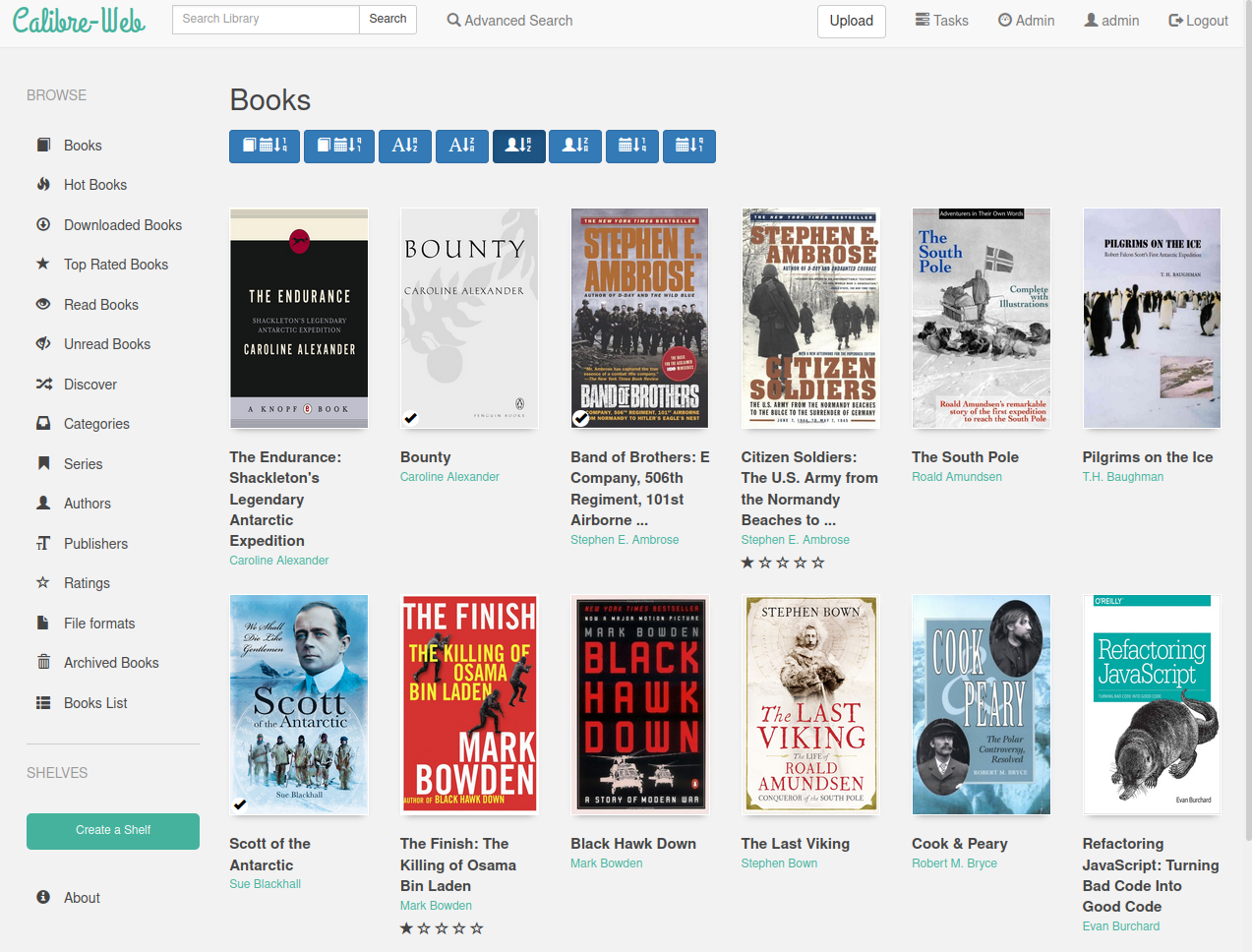
Calibre-Web is a web app for browsing, reading, and downloading eBooks stored in a Calibre database. It provides a clean, modern interface for your digital library with OPDS feed support, user management, Kindle/email sending, and on-server format conversion.
Services
calibre-web
linuxserver/calibre-web:0.6.26Calibre-Web
A web app for browsing, reading, and downloading eBooks from a Calibre library. Provides a clean, responsive interface with multi-user support, OPDS catalog, Kindle sending, and on-server ebook format conversion.
What You Can Do After Deployment
- Visit your domain — log in with the default credentials: admin / admin123
- Change the admin password — go to Admin > Edit Users and update the default password immediately
- Set up your library — the book storage is mounted at
/books; upload your Calibremetadata.dband book files there - Browse and read — search, filter by tag/author/series, and read EPUB books directly in the browser
- Create user accounts — set up accounts with individual permissions (download, upload, edit, etc.)
Key Features
- Full-text search across your Calibre library
- OPDS feed for compatible e-reader apps (KOReader, Moon+ Reader, etc.)
- Send books to Kindle via email with one click
- On-server ebook format conversion (requires Calibre binaries)
- Multi-user support with granular permissions
- In-browser EPUB reader with bookmarks and highlights
- Edit metadata and manage your library from the web UI
- Upload new books directly through the interface
- Support for Kobo sync
- Dark mode and responsive mobile-friendly design
License
GPL-3.0 — GitHub
Services