


emjudge
A frontend assignment submission and auto-grading platform. External worker required for grading.
Services




emjudge
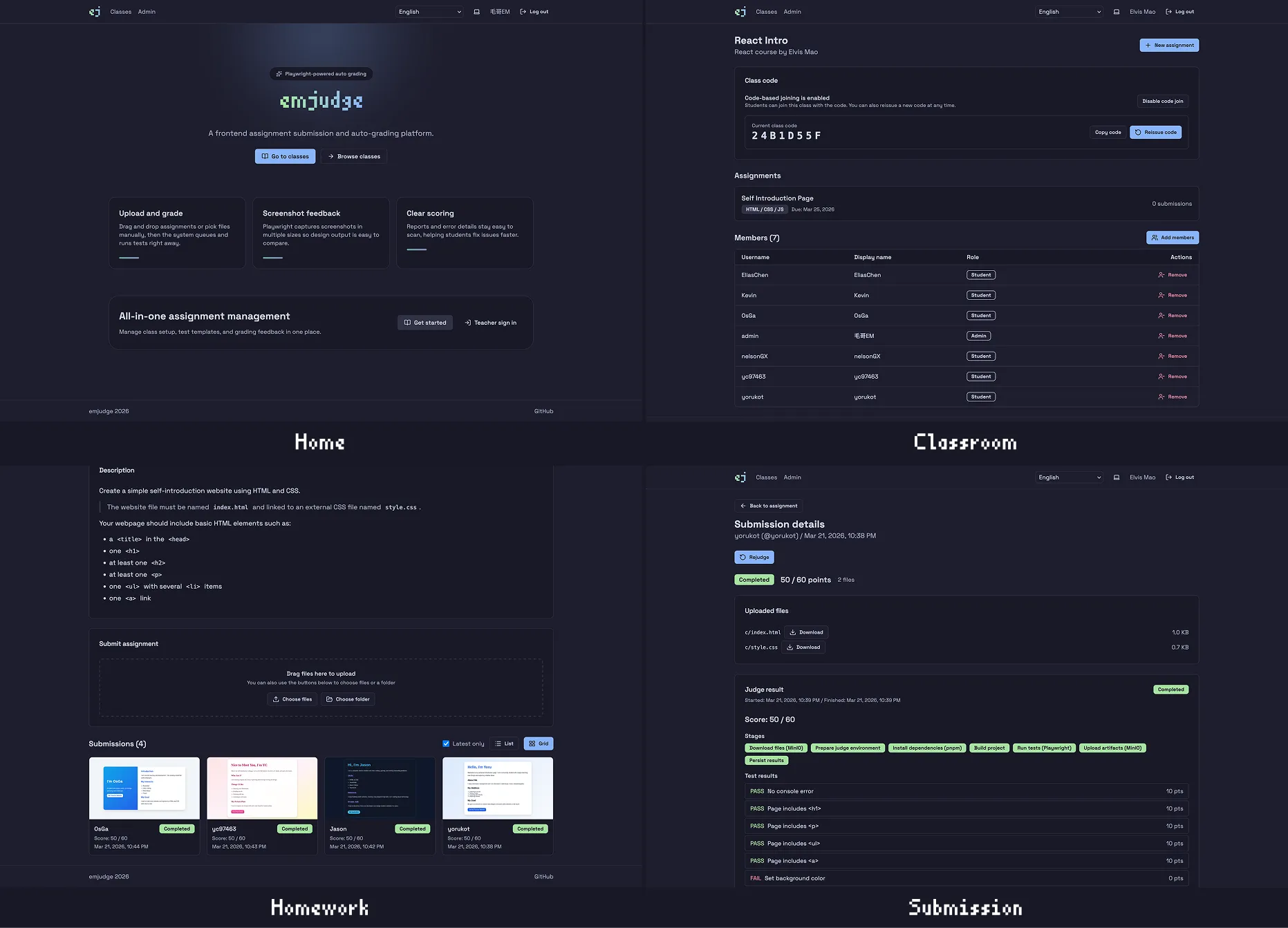
Frontend assignment submission and auto-grading platform. Students upload HTML/CSS/JS or React assignments, and the system runs Playwright tests in isolated Docker environments to produce scores, test results, screenshots, and logs.
Features
- Multiple assignment types: Support for HTML/CSS/JS and React projects
- Automated grading: Playwright-based testing with detailed results
- Class management: Organize students into classes with teachers
- Score tracking: Visual score history with charts
- File management: MinIO-based file storage for submissions and artifacts
Services
| Service | Description |
|---|---|
| PostgreSQL | Database for application data and judge jobs |
| MinIO | Object storage for submissions and artifacts |
| API | Fastify REST API backend built from this repository with Docker |
| Web | React SPA built from this repository with Docker and served by Nginx |
| Caddy | Public entrypoint that routes /api/* to API, /img/* to MinIO, and everything else to Web |
Default admin account
After deployment, log in with:
- Username:
admin - Password: the value you set in
DEFAULT_ADMIN_PASSWORD
Important notes
- This template deploys the web app, API, database, and object storage
- The Judge Worker is not deployed on Zeabur by this template because it needs local Docker access to run untrusted submissions safely
- API startup automatically runs database migration and idempotent admin seeding before booting the server
Worker setup (external machine)
The Judge Worker polls the database for jobs. It needs outbound access to PostgreSQL and MinIO, but no inbound ports.
1. Get the PostgreSQL external connection string
In the Zeabur Dashboard, open the PostgreSQL service and copy Connection String (external, for Worker) from Instructions.
2. Expose MinIO for external access
In the Zeabur Dashboard, open the MinIO service, go to Domains, and bind a domain such as minio.yourdomain.com so MinIO is reachable over HTTPS on port 443.
3. Run the worker
git clone <your-repo>
cd frontend-judge
pnpm install

docker build -t judge-runner:latest docker/judge-runner/

pnpm --filter @judge/shared build
pnpm --filter @judge/worker build

export DATABASE_URL='postgresql://root:<password>@hkg1.clusters.zeabur.com:<port>/zeabur'
export MINIO_ENDPOINT='minio.yourdomain.com'
export MINIO_PORT='443'
export MINIO_ACCESS_KEY='minio'
export MINIO_SECRET_KEY='<your-minio-secret>'
export MINIO_USE_SSL='true'
node apps/worker/dist/index.js
The worker will connect to the remote database, poll pending jobs, run them in local Docker containers, and upload artifacts back to MinIO.