


UpSnap
UpSnap is a self-hosted web app that lets you remotely power on computers and devices over the network using Wake-on-LAN. Supports scheduled wake-ups, automatic device discovery, and multi-user access control.
Services
upsnap
seriousm4x/upsnap:5.3.1UpSnap
Remotely power on your computers and servers from anywhere through a simple web interface. UpSnap uses Wake-on-LAN (WoL) — a standard that lets you send a special network signal to turn on a device, even when it's completely shut down.
First-Time Setup
- Visit your domain — create an admin account on first launch
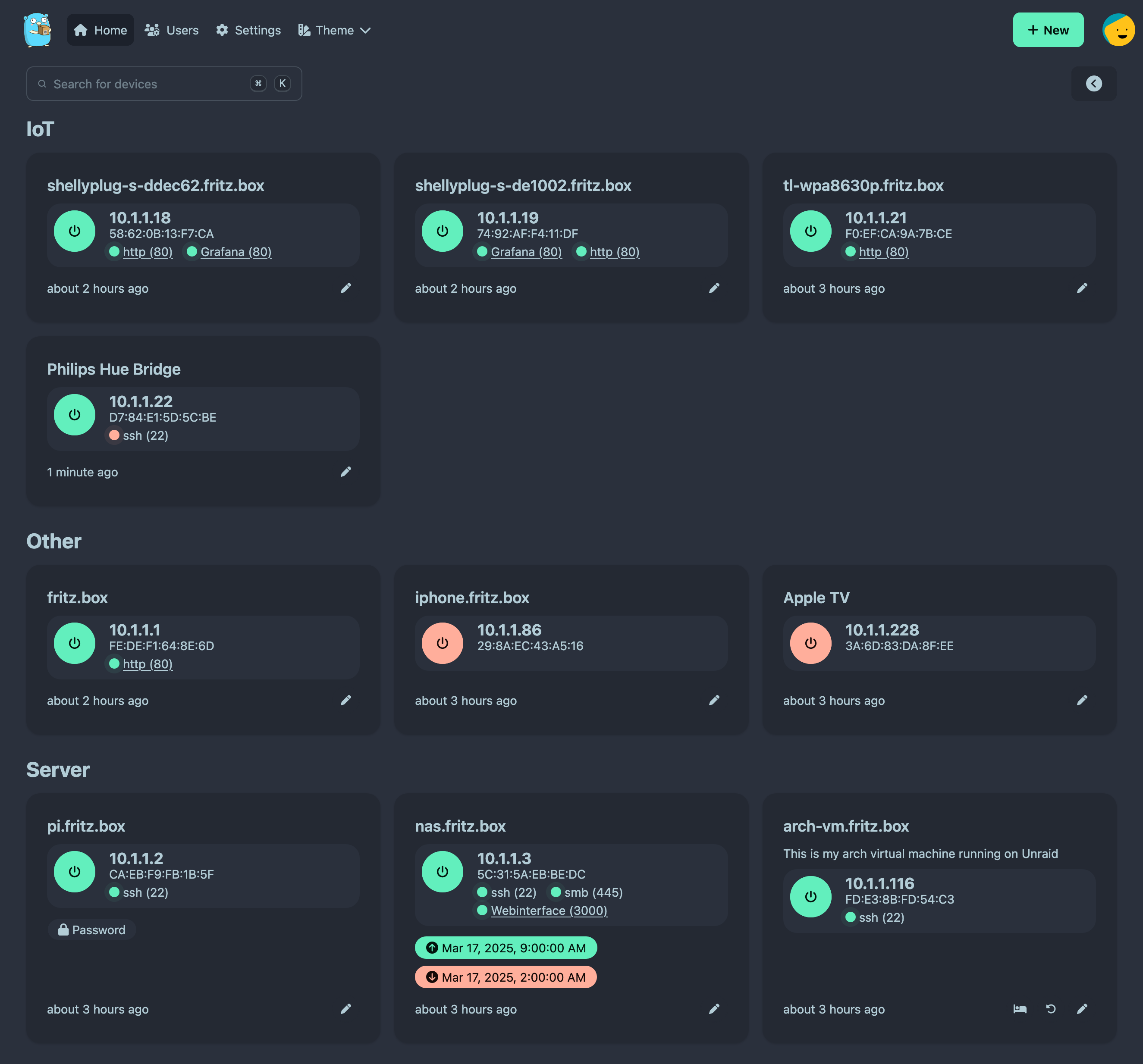
- Add devices — enter each device's name, IP address, and MAC address, or use the automatic network scan to find devices
- Wake devices — click the power button to remotely turn on a device
Key Features
- One-click remote power on from any browser
- Automatic network scan to discover devices
- Scheduled wake-ups (e.g., turn on your office PC every weekday at 8 AM)
- Live device status — see which devices are online or offline
- Multi-user support — share access with your team, each with their own permissions
- Dark/light theme
Before You Start
For Wake-on-LAN to work, the target device needs two things:
- WoL enabled in BIOS/UEFI — this is a motherboard setting; search your device model + "enable Wake-on-LAN" for instructions
- Same network — UpSnap must be able to reach the device over the local network. If UpSnap runs on Zeabur (cloud), you'll need a VPN or network bridge to your local network
License
MIT — GitHub
Services