


Homepage
Homepage is a modern, fully static, fast, secure, and highly customizable application dashboard. Features 100+ service integrations, Docker container management, custom bookmarks, and built-in widgets — all configured via simple YAML files.
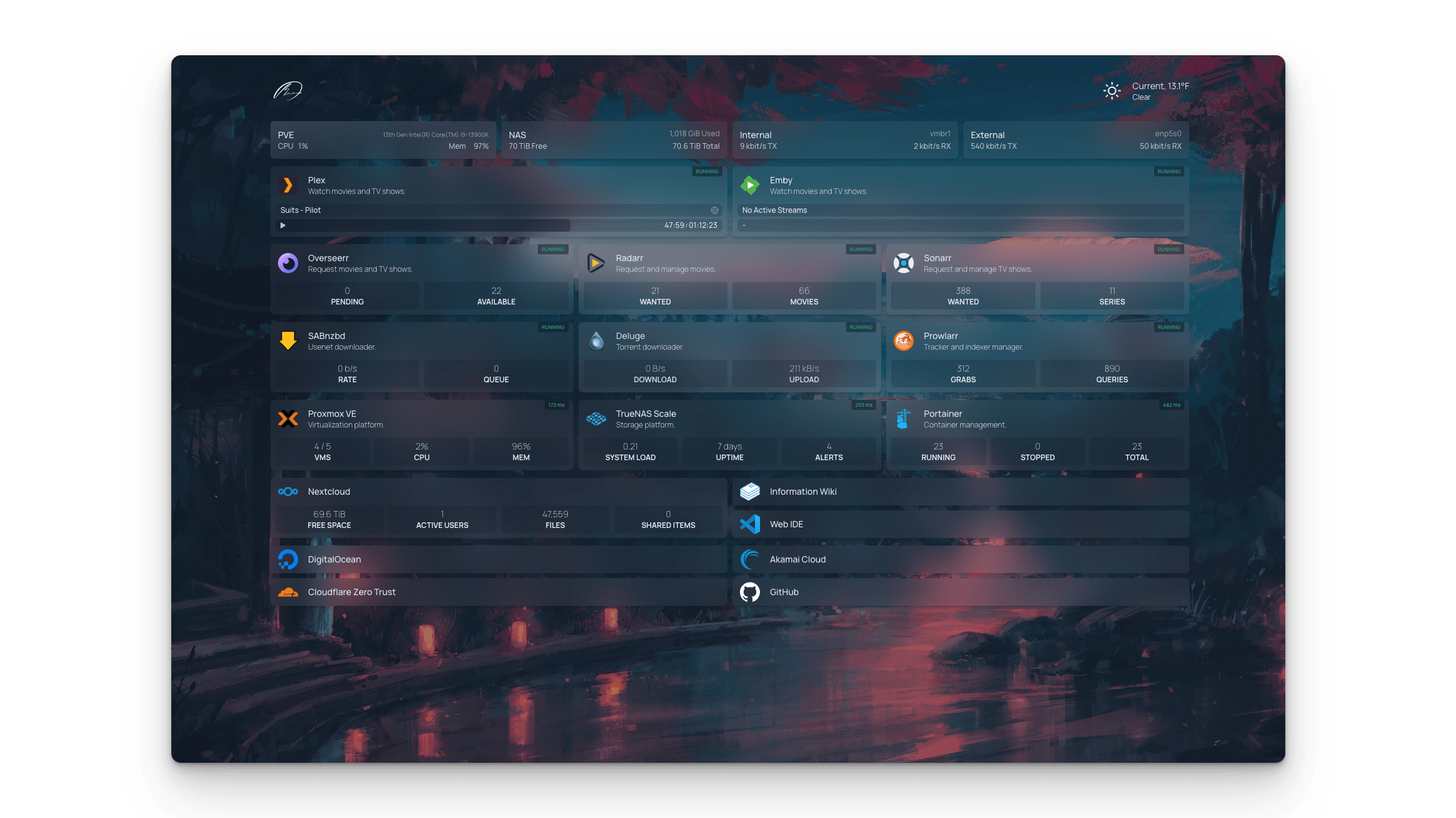
Services
homepage
gethomepage/homepage:v1.12.1Homepage
A modern, fully static, fast, secure, and highly customizable application dashboard with 100+ service integrations.
What You Can Do After Deployment
- Visit your domain — Homepage loads with a default empty dashboard
- Open Config Editor — go to your service's Settings > Configs > Open Config Editor in Zeabur dashboard
- Add config files — click "Add Config file" and create the YAML files below at their
/app/config/paths - Restart the service — save configs and restart for changes to take effect
- Iterate — edit configs anytime in Config Editor, restart to apply
How to Configure
Homepage is configured via YAML files. On Zeabur, use the Config Editor (Settings > Configs) to create and edit these files. Changes persist across restarts. For full documentation, see gethomepage.dev/configs.
1. Add services — /app/config/services.yaml
Services appear as large cards on your dashboard, with optional status monitoring.
- My Apps:
    - Grafana:
        icon: grafana.png
        href: https://grafana.example.com
        description: Monitoring dashboard
        siteMonitor: https://grafana.example.com

- Social:
    - GitHub:
        icon: github.png
        href: https://github.com/your-username
    - YouTube:
        icon: youtube.png
        href: https://youtube.com/@your-channel
    - Twitter:
        icon: twitter.png
        href: https://x.com/your-handle
2. Add bookmarks — /app/config/bookmarks.yaml
Bookmarks are compact link lists for quick navigation (no monitoring, just links).
- Developer:
    - GitHub:
        - href: https://github.com
          icon: github.png
    - Stack Overflow:
        - href: https://stackoverflow.com
          icon: stackoverflow.png

- Social:
    - YouTube:
        - href: https://youtube.com
          icon: youtube.png
    - Reddit:
        - href: https://reddit.com
          icon: reddit.png
3. Customize appearance — /app/config/settings.yaml
title: My Dashboard
theme: dark
color: slate
headerStyle: underlined
language: en
See settings docs for all options (colors, backgrounds, layouts, etc.).
4. Add widgets — /app/config/widgets.yaml
- search:
    provider: google
    target: _blank
- datetime:
    locale: en
    format:
      dateStyle: short
      timeStyle: short
Icons
Homepage includes 1000+ icons via Dashboard Icons. Use the filename directly: github.png, youtube.png, twitter.png, discord.png, notion.png, etc. You can also use si-github (Simple Icons) or mdi-home (Material Design Icons).
License
Services