


Tautulli
Tautulli is a monitoring and analytics tool for Plex Media Server. It tracks activity, usage statistics, stream history, and sends customizable notifications. Features a responsive web UI, rich graphs via Highcharts, and detailed media/user information.
Services
tautulli
tautulli/tautulli:v2.17.0Tautulli
A monitoring and analytics tool for Plex Media Server. Track who is watching what, when, and where — with detailed statistics, graphs, and notifications.
What You Can Do After Deployment
- Visit your domain — the setup wizard will guide you through connecting to your Plex Media Server
- Link your Plex account — sign in with your Plex credentials to authorize Tautulli
- Enter your Plex server URL — provide the IP/hostname and port of your Plex server so Tautulli can communicate with it
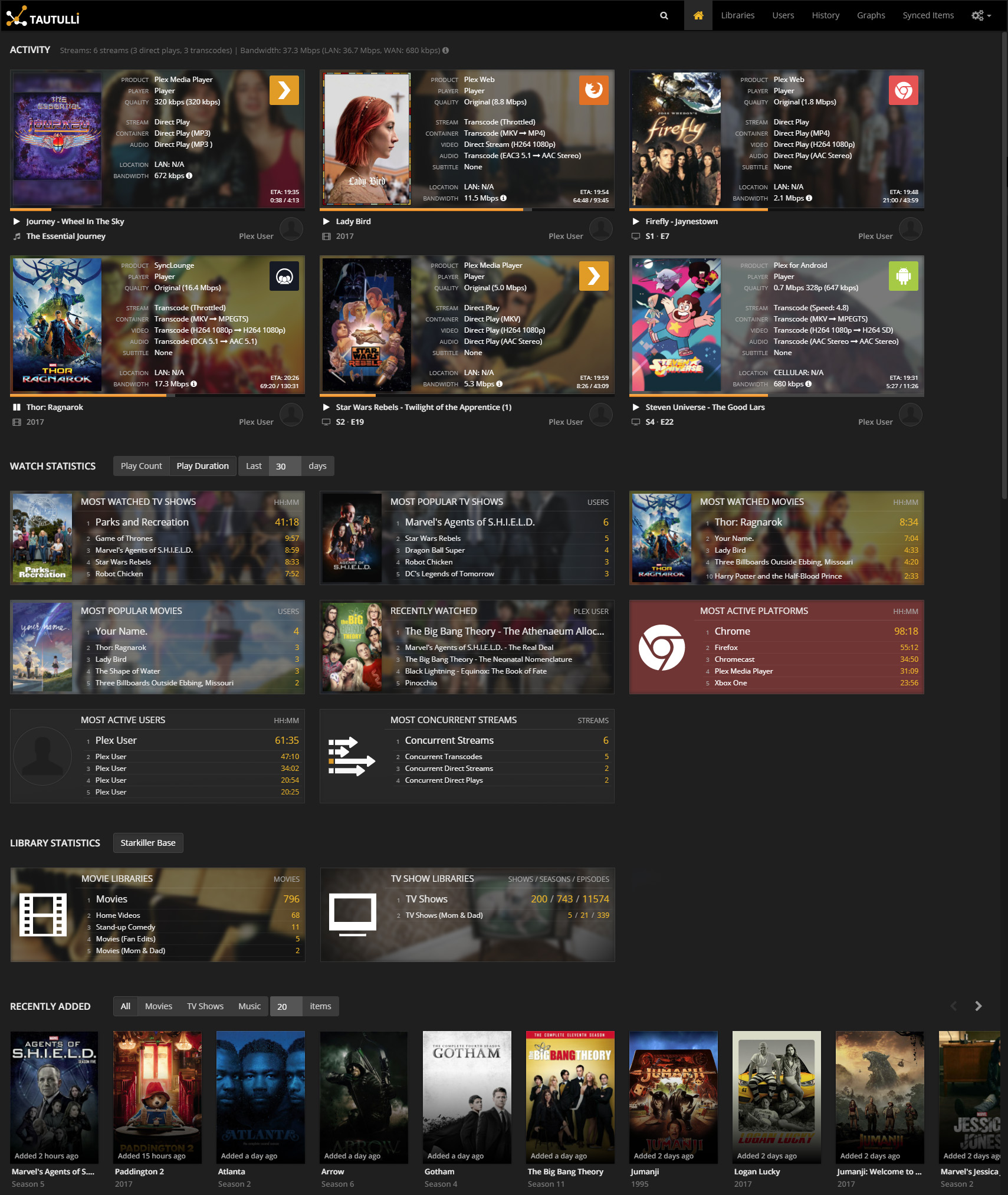
- Monitor activity — the homepage shows current streams, transcoding status, bandwidth usage, and player information in real time
- Browse history — view complete watch history with filters by user, media, date, and platform
- Set up notifications (optional) — configure alerts via Discord, Slack, Telegram, email, webhooks, and many more
Key Features
- Real-time monitoring of current Plex activity (streams, transcodes, bandwidth)
- Full watch history with search, filtering, and sortable columns
- Top statistics on the home page (most watched, most active users, most popular media)
- Per-user profiles with device info, IP addresses, and comparison stats
- Complete library statistics and media file information
- Rich analytics with Highcharts graphs (play counts, duration, concurrent streams)
- Customizable notifications for stream events and recently added media (30+ notification agents)
- Responsive web UI viewable on desktop, tablet, and mobile
Volumes
/config— configuration files and the SQLite database that stores all history and settings
Configuration
Tautulli stores all settings in its web UI. After deployment, use the setup wizard to connect to your Plex server.
License
Services