Purchase a Server from Zeabur
If you don’t have your own server, you can purchase a server directly from Zeabur. Zeabur partners with major cloud providers (AWS, GCP, Hetzner, Linode, DigitalOcean, Aliyun, Tencent Cloud, Volcengine) to offer competitive pricing — often at a discount compared to buying directly from the provider.
Purchased servers are fully managed by Zeabur. You don’t need to handle SSH access, OS updates, or infrastructure maintenance.
Purchase Steps
Open the Server List
After logging in, click Servers in the left sidebar, or visit https://zeabur.com/servers directly.
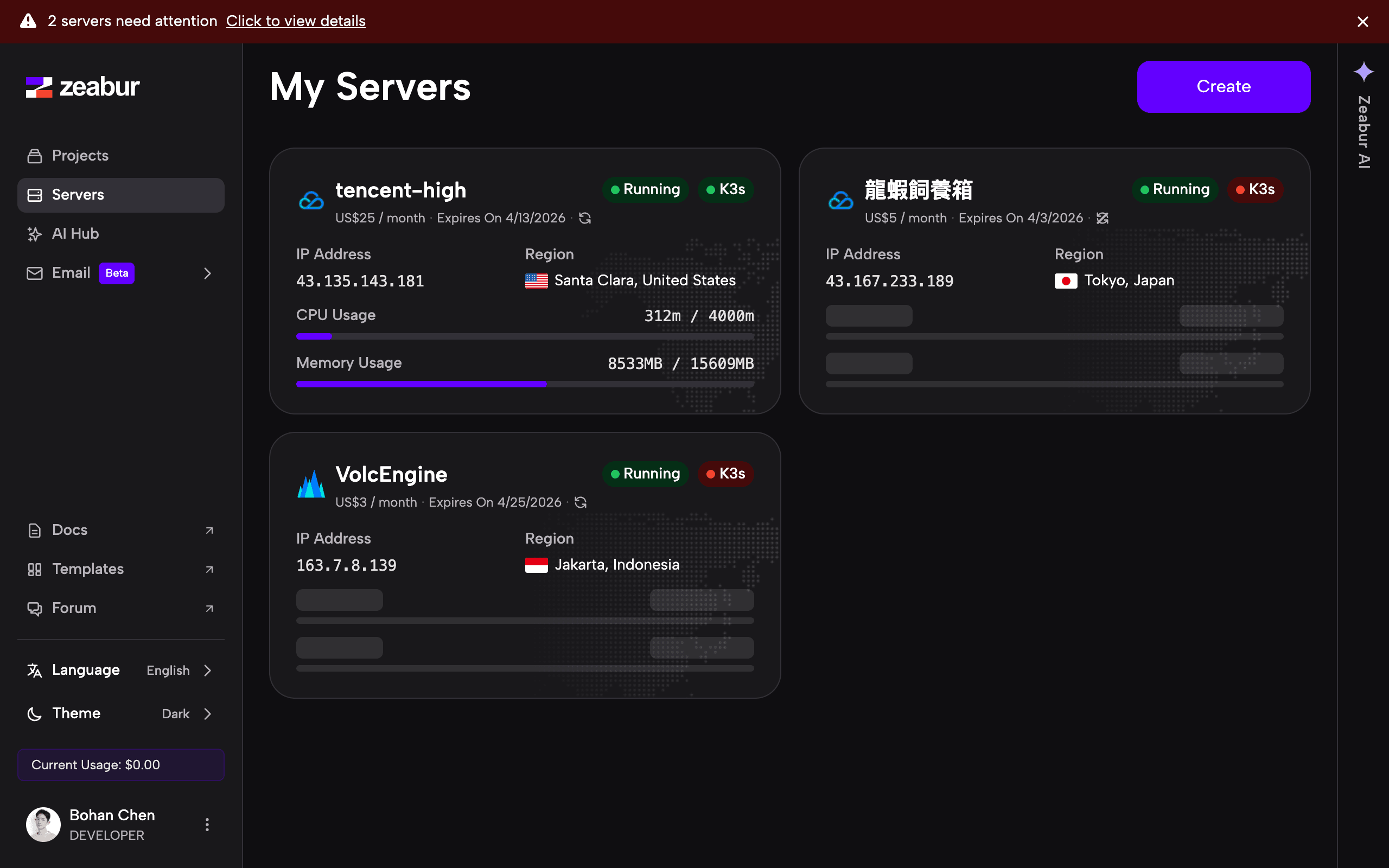
Click “Create” and Select “Buy a Server from Zeabur”
Click the Create button in the upper-right corner. In the dialog that appears, select Buy a Server from Zeabur.
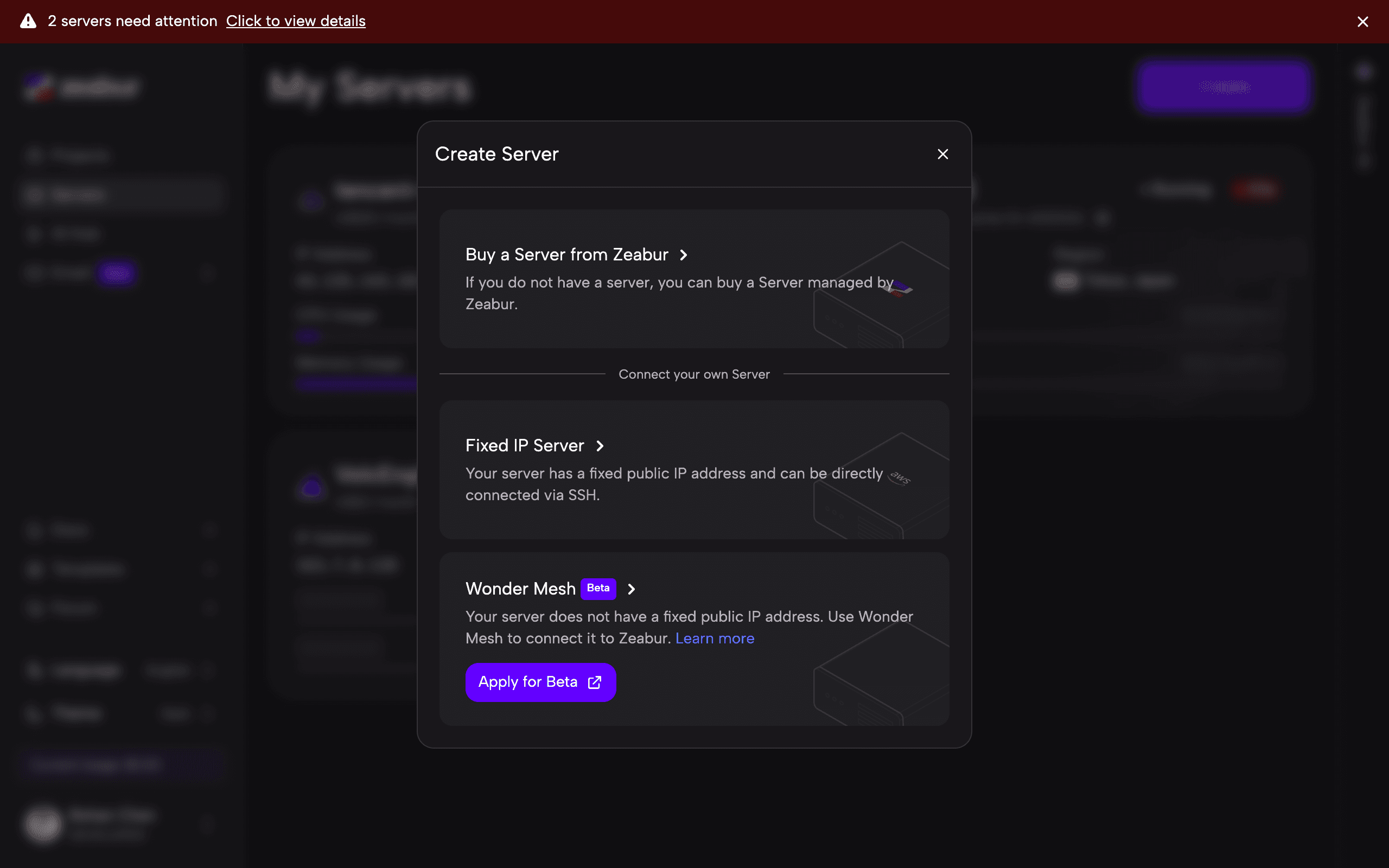
You will also see other options:
- Fixed IP Server — for connecting your own server with a fixed public IP via SSH (see Add a Server).
- Wonder Mesh — for servers without a fixed public IP (currently in beta).
Select a Server Plan
You will be redirected to the server selection page. Use the filters to narrow down the options:
- Provider — Choose from AWS, GCP, Hetzner, Linode, DigitalOcean, Aliyun, Tencent, or Volcengine.
- Region — Filter by continent (Asia, China, Europe, North America, South America, Oceania).
- CPU — Filter by the number of vCPUs (1–32).
- Memory — Filter by RAM size (2 GB–64 GB).
- Sort — Sort results by Recommended, Price, CPU, RAM, or Egress.
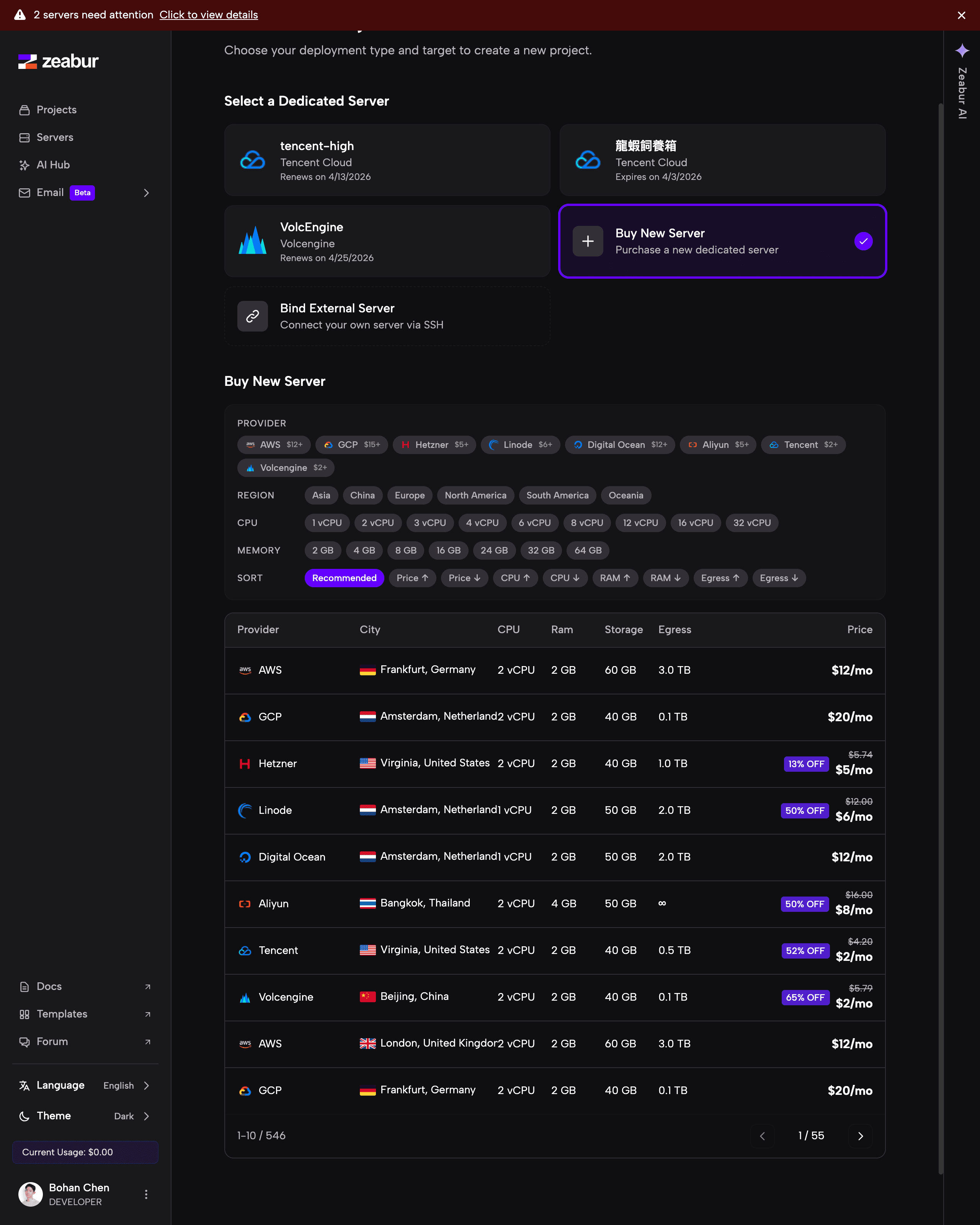
Each server plan shows the provider, city, vCPU count, RAM, storage, egress bandwidth, and monthly price. Some plans include a discount badge showing Zeabur’s ongoing discount compared to the provider’s official price.
Confirm and Pay
Click on a server plan to proceed to checkout. The server will be provisioned automatically after payment. Once provisioning is complete (usually within a few minutes), the server will appear in your My Servers list with a Running status.
After Purchase
Once your server is online, you can:
- Create a project on your new server and start deploying services.
- Manage your server — monitor resources, configure settings, and more.
- Set up firewall rules — control inbound and outbound traffic.
FAQ
Can I upgrade my server plan later?
Yes, you can self-serve upgrade your server plan from the server’s settings page. Note that upgrades are one-way — you cannot downgrade to a lower plan after upgrading.
What if the server doesn’t meet my needs?
For servers purchased from Tencent Cloud, Aliyun, or Volcengine, Zeabur allows one free refund. A second refund request for these providers must be submitted through Zeabur Support. For all other providers (AWS, GCP, Hetzner, Linode, DigitalOcean), you can request a refund directly from the server’s settings page by clicking Request Refund.
How is billing handled?
Purchased servers are billed monthly at a fixed rate. The price shown on the selection page is the monthly cost. Your server will auto-renew unless you cancel it.
How do I renew my server manually?
Servers renew automatically by default: the system checks roughly every 8 hours and charges your balance before the expiry date. To protect your server and its data, keep auto-renew enabled and make sure you have enough balance or a valid payment method on your account. Renewals are charged at the plan price in effect at the time of renewal.
To renew manually, go to Dashboard → Servers and click your server — the Renew Now button is right next to the expiry date on the server’s overview page. It is also available as Renew in the ”⋯” menu on each server card in the server list.
If a renewal fails due to insufficient balance, the server is temporarily powered off but is not deleted during the grace period. After you top up (or fix your payment method), the next automatic check completes the renewal and powers the server back on — or you can click Renew Now right away. Please renew as soon as you receive a notice so the server is not deleted when the grace period ends.
How long is an expired server kept before deletion?
After a server expires, it is powered off and kept for a grace period so you can settle the balance. The grace period is roughly 3 to 15 days depending on the provider. The actual power-off and deletion dates are the ones stated in the email notices from Zeabur and shown on the server page; if this page and an email disagree, the email takes precedence. Once the grace period ends, the server and all projects on it are permanently deleted and cannot be recovered.
The current grace period for each provider is as follows (days are counted from the expiry date):
| Provider | Power-off | Final notice | Deletion |
|---|---|---|---|
| AWS Lightsail, GCP, Hetzner, Linode, DigitalOcean | 1 day after expiry | 5 days after expiry | 7 days after expiry |
| Tencent Cloud, Aliyun, Volcengine | At expiry | — | About 15 days after expiry |
Completing the renewal within the grace period brings the server back online with its data intact. Grace periods may change along with provider policies, and Zeabur reserves the right to adjust the grace period mechanism. To avoid data loss, renew as soon as you receive a notice rather than waiting until the last day of the grace period.
What providers are available?
Zeabur currently offers servers from AWS, GCP, Hetzner, Linode, DigitalOcean, Aliyun, Tencent Cloud, and Volcengine, with data centers across Asia, Europe, North America, South America, and Oceania.