Connect an Existing Kubernetes Cluster
If you have already purchased or created a Kubernetes cluster through another cloud provider, you can connect it to Zeabur and continue using Zeabur’s deployment and management experience.
Common scenarios include:
- You already have an existing cluster on AWS, GCP, DigitalOcean, Hetzner, or another provider.
- You want to preserve your existing network topology, data location, or compliance configuration.
- You want to consolidate day-to-day Kubernetes operations into the Zeabur Dashboard.
Before You Start
Before beginning, confirm the following:
- Your Kubernetes API Server is accessible from Zeabur.
- You have sufficient permissions to provide the access credentials Zeabur needs to connect to the cluster.
- Your cluster is healthy, and nodes, networking, and storage components have been configured.
Connection Steps
Log in to Zeabur
Go to the Servers page.
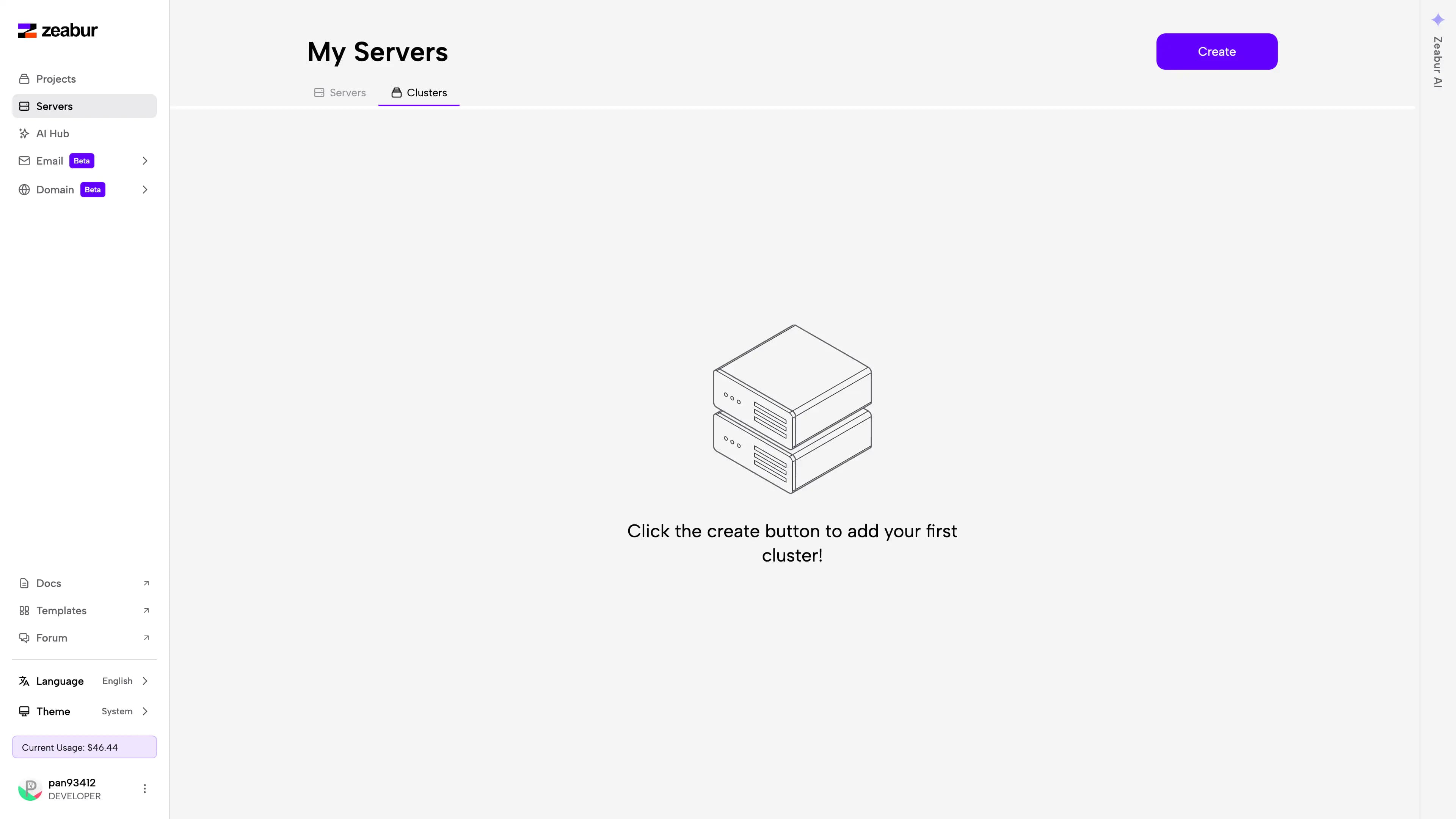
Select Cluster and Create
Select Cluster, then click Create in the top-right corner.
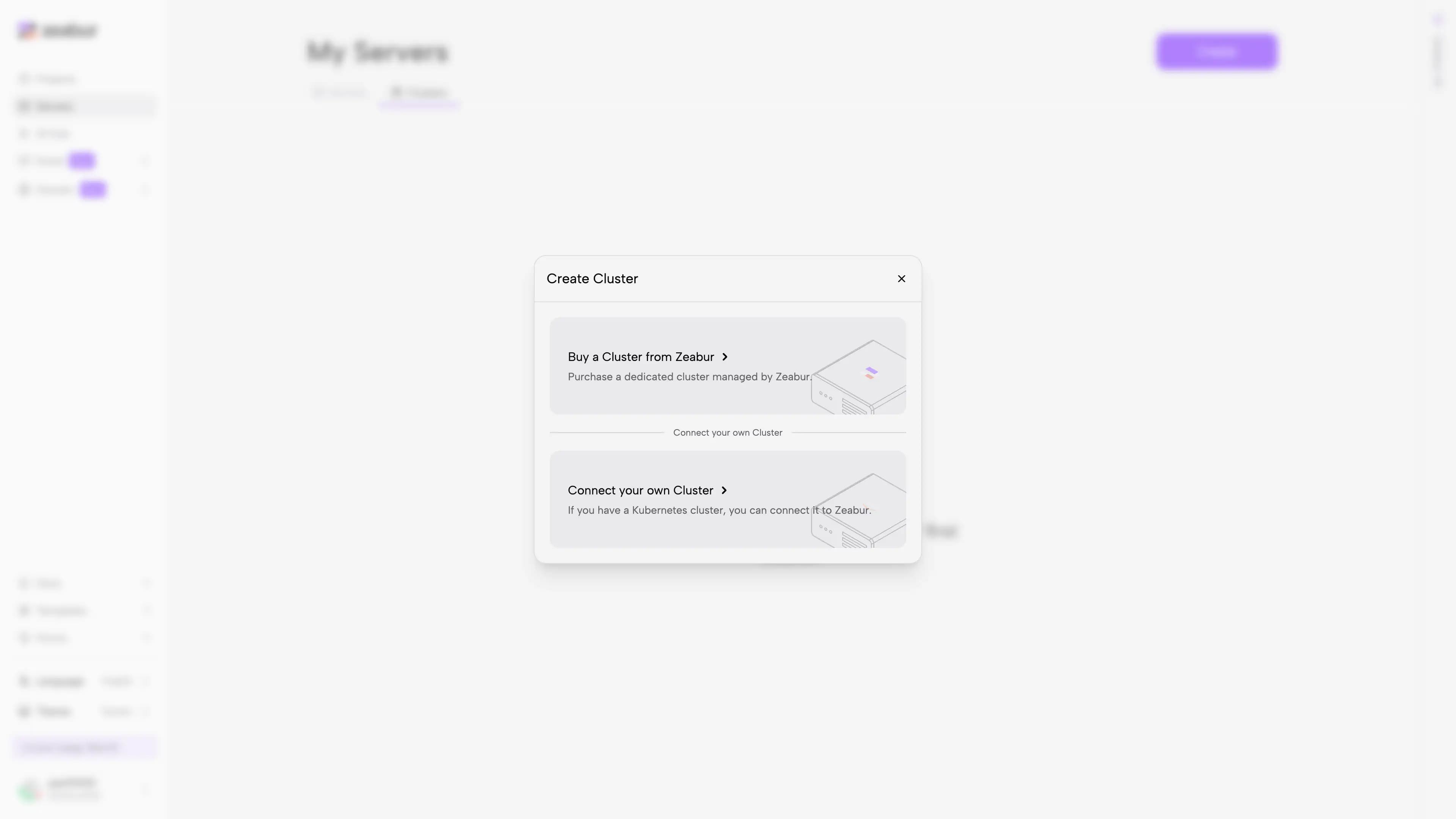
Choose Connect your own Cluster
In the creation flow, select Connect your own Cluster.
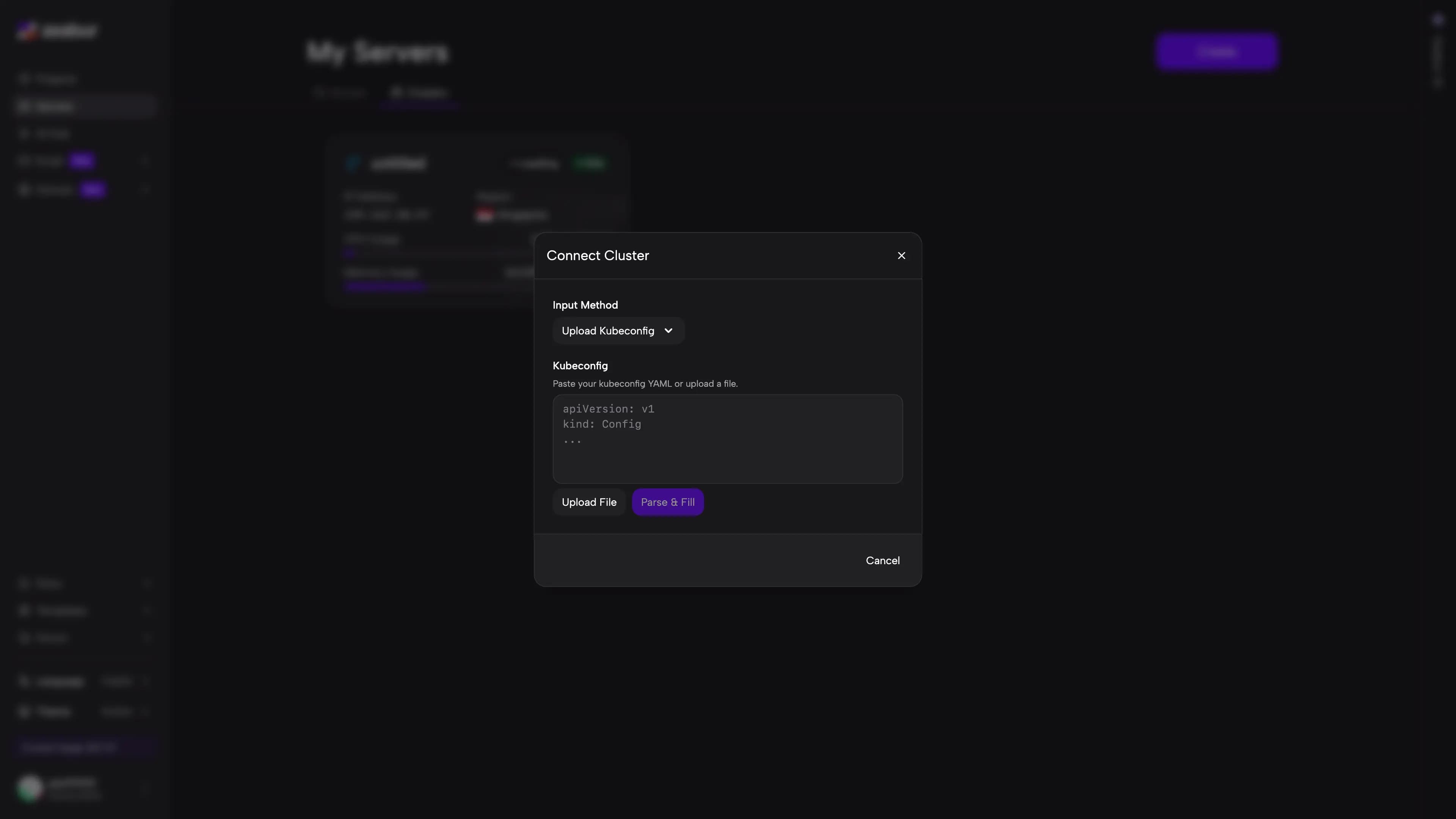
Upload your Kubeconfig
Zeabur will automatically parse the cluster information from it and attempt to verify the connection.
Set Provider and Location
Set the Provider (e.g. LINODE), Country (e.g. US), City, Continent, and other fields — these are used for display purposes only and can be filled in freely.
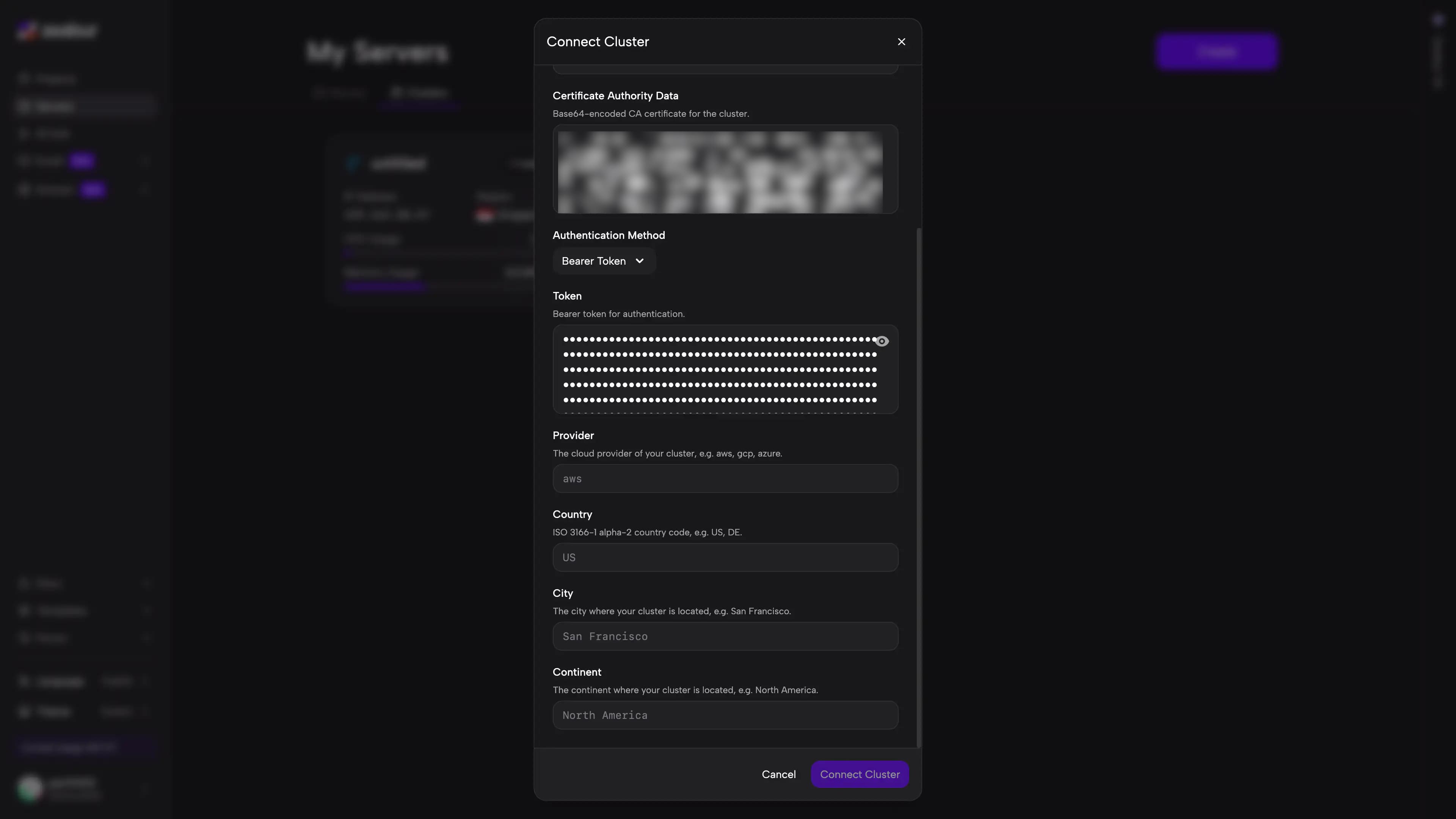
Connect Cluster and wait
Click Connect Cluster and wait for Zeabur to finish connecting and initializing the cluster — this typically takes 3–5 minutes.
Cluster appears in server list
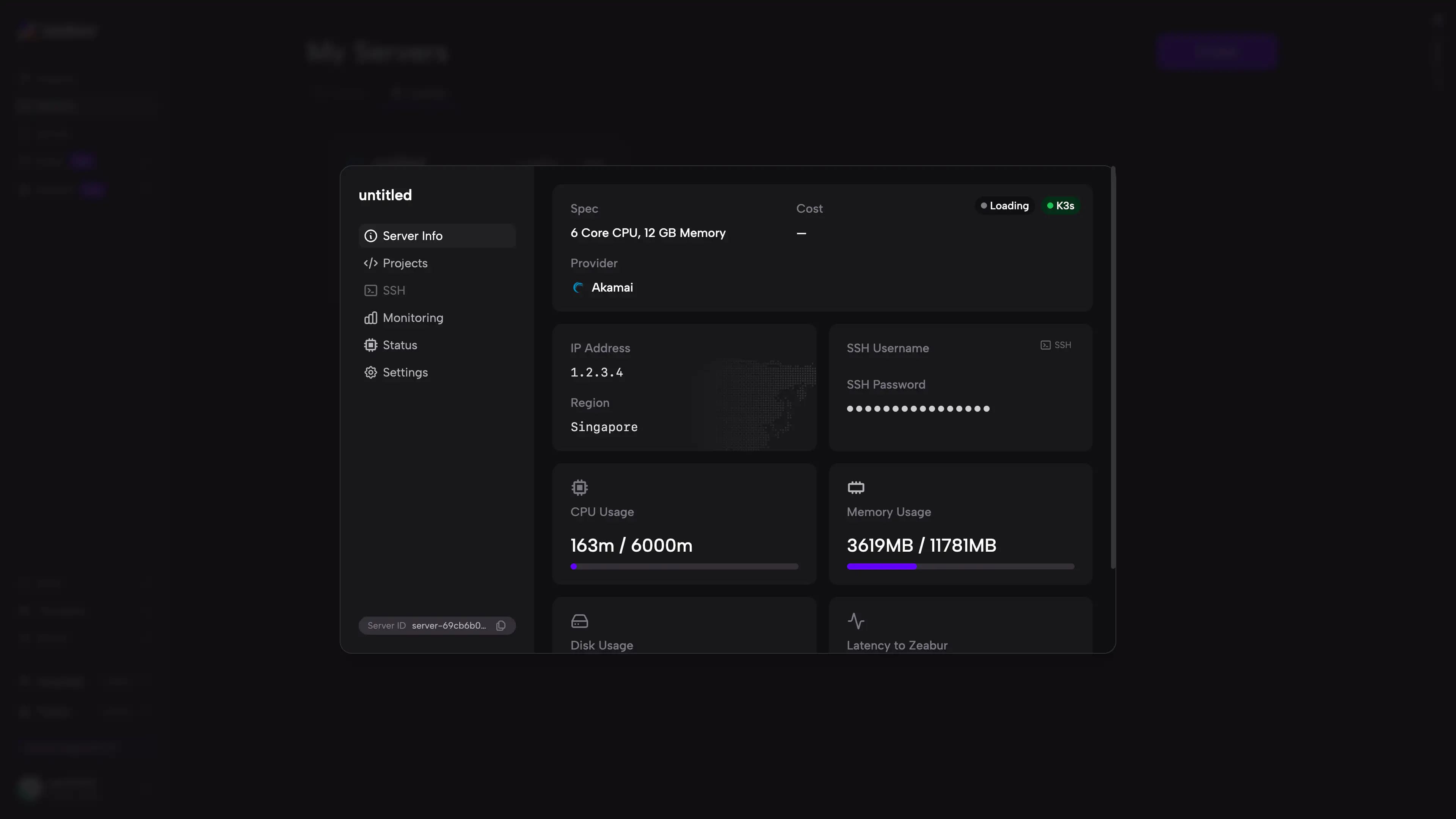
Once complete, the cluster will appear in your server list, and you can use it to create projects and deploy services directly from Zeabur.
Connecting an existing cluster does not automatically rebuild your Kubernetes environment. If your cluster uses custom networking, Ingress, StorageClass, or security policies, verify that these configurations are compatible with Zeabur’s deployment requirements before proceeding.
Next Steps
- To create a new cluster directly through Zeabur, see Purchase a Cluster.
- To learn about the differences between a cluster and a server, see the Clusters Overview.