Subscription
What is Subscription?
Zeabur offers five plans: Free, Dev, Pro, Team, and a customized Enterprise plan, suited to different stages of usage and needs. You can check the details of each plan on the plans page.
If you have not subscribed to any plan, you’ll be considered a Free Plan user by default.
14-Day Free Trial
Each user is entitled to one 14-day free trial and may choose either the Dev ($5/month) or Pro ($19/month) plan. During the trial you’ll have full access to all features and resource quotas of the selected plan.
No charges are incurred during the trial; once it ends, the system will automatically renew the selected plan and start billing. If you don’t wish to continue, cancel the subscription before the trial ends.
Users may also end the trial early at any time to immediately begin the paid subscription — the billing cycle starts from that day. The Team plan ($79/month) does not include a free trial.
How to Subscribe?
Zeabur’s subscription is based on Stripe.
There are 2 ways to subscribe to a plan: Credit Card and Prepaid Credits.
Subscribe with Credit Card
You can subscribe to a plan with your credit card, paying in USD.
- Setup without subscription: Go to billing page, you can setup your credit card in Payment Method section. After you’ve input your credit card information, click Add button to save your credit card, then you can simply click Subscribe button in plan page to update your subscription.
- Setup with subscription: Go to the plan page in dashboard, choose a plan, and then input your credit card information, click Subscribe button, you’ll be redirected to Stripe’s checkout page, fill the form and you’ll be subscribed to the plan with your credit card saved.
Subscribe with Prepaid Credits
If you don’t have a credit card that is compatible with Stripe service, you can subscribe to a plan with buying some credits.
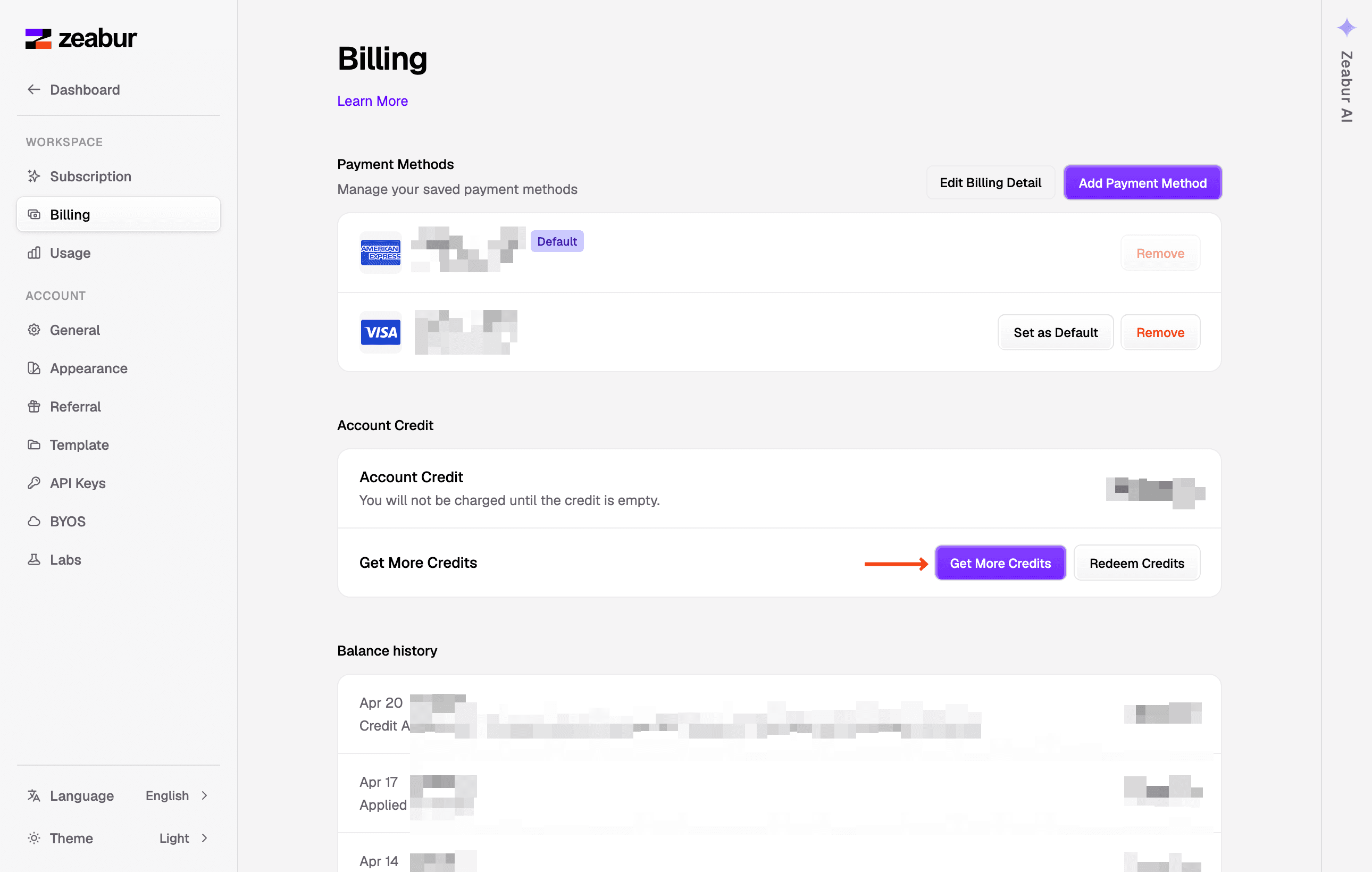
Go to the billing page in dashboard, press the Get More Credits button to buy some credits, then you can go to the plan page in dashboard to upgrade your plan with the credits you’ve bought.
How to Change Payment Method
If your card is declined or you want to change your payment method, you can do it in the billing page.
Scroll down to find the Unbind Payment Method to unbind current credit card, then you can setup a new credit card.
How to Downgrade to Free Plan
If you’ve subscribed to a paid plan, you can downgrade to Free Plan at any time.
Go to billing page in your dashboard, scroll down to the danger zone for unsubscribing.
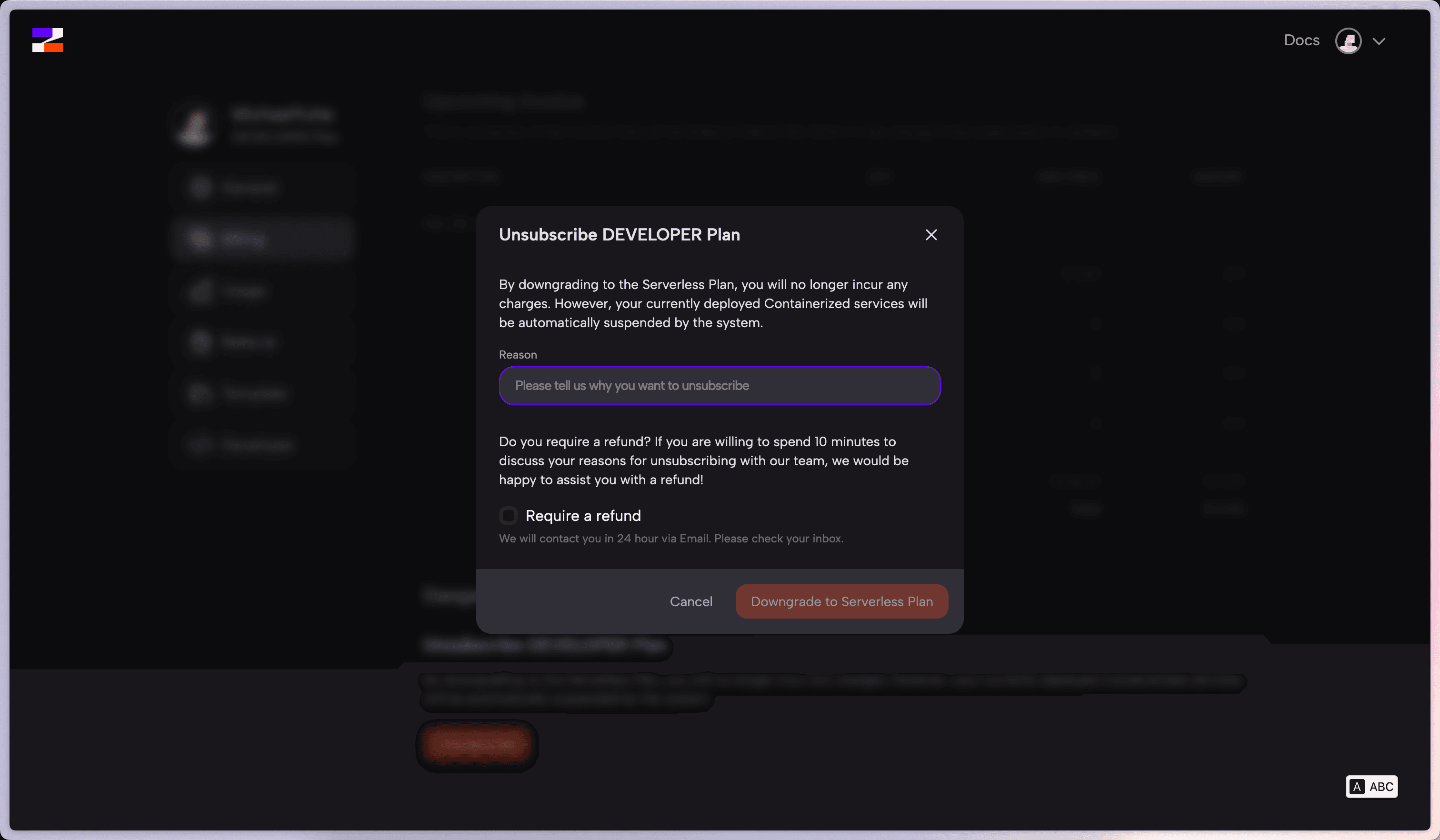
By downgrading to the Free Plan, you will no longer incur any charges. However, your currently deployed Containerized services will be automatically suspended by the system.
Contact us
If you have any questions about subscription, please contact us through Zeabur Support.